
Your dashboard
Your dashboard starts a search and shows your saved homes, new matches, homes picked for you, local pros, guides and mortgage rates.
Your Dashboard is the first page you see after you sign in. Search any city, ZIP or neighborhood from the box at the top, check your saved homes and new matches, then scroll for homes picked for you, local pros, guides and mortgage rates.
Search from the top
The page greets you with "Good morning", "Good afternoon" or "Good evening" and your first name, then the search box. Click into the empty box to see shortcuts before you type.
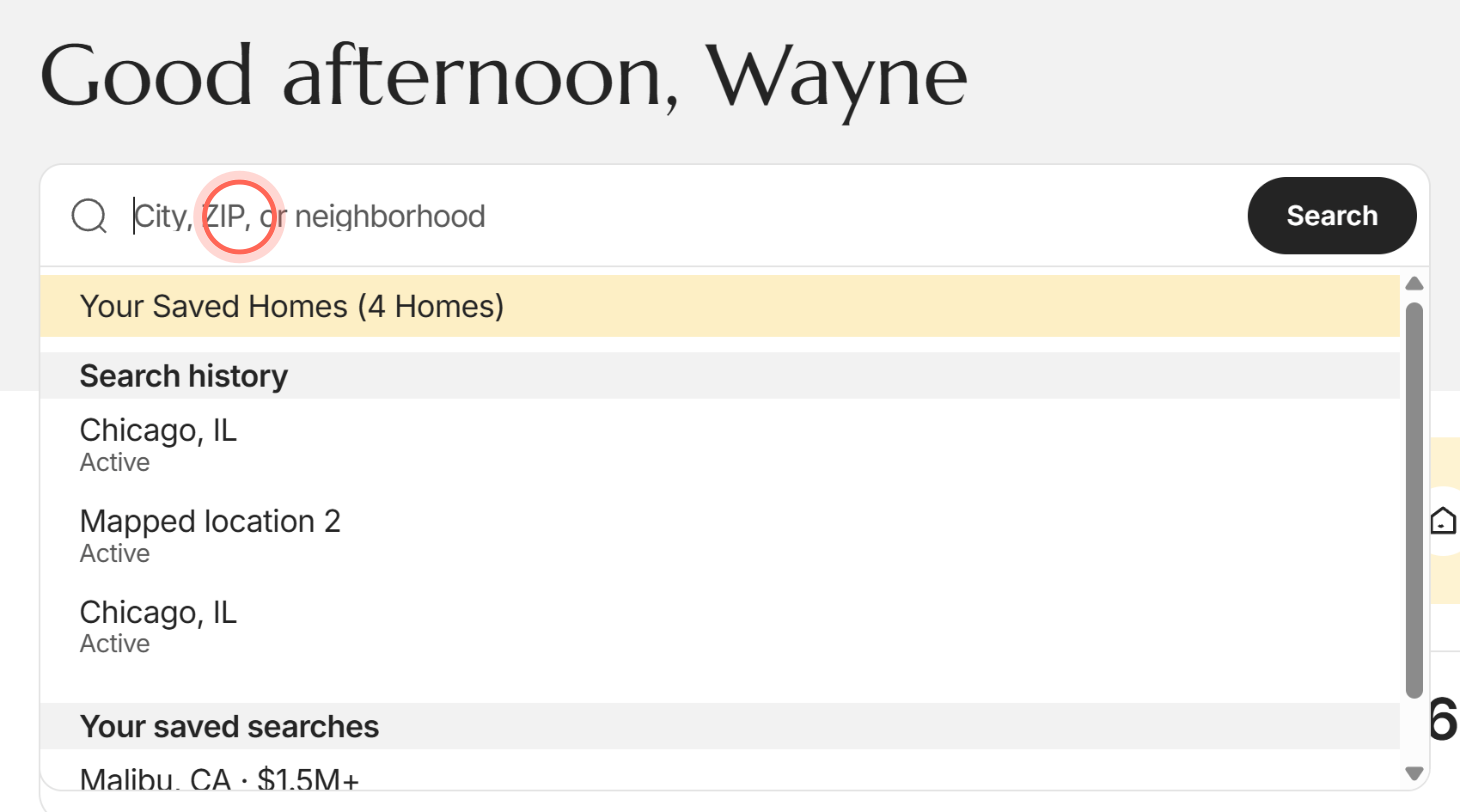
| Control | What it does | Learn more |
|---|---|---|
| City, ZIP, or neighborhood | Type a place and pick a suggestion. Home Search opens with homes in that place. No other filters carry over. | Search for homes |
| Search | Searches the highlighted suggestion. With nothing typed, it puts your cursor in the box. | |
| Your Saved Homes | Shows with your count, like "(4 Homes)", once you've saved a home. Opens Favorites. | Favorite homes |
| Search history | Your recent searches in this browser. Click one to run it again. | |
| Your saved searches | Up to 10 of your saved searches, yours first. Click one to see its homes. | Save a search and get alerts |
| your last search | The link under the box. Reopens the last search you ran in this browser. |
Saved homes and New matches
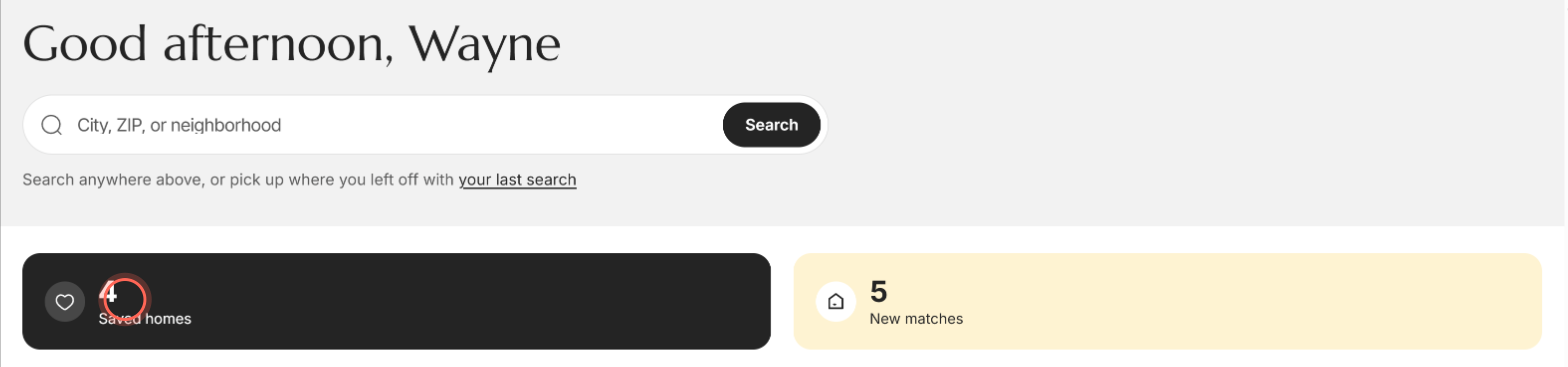
| Control | What it does | Learn more |
|---|---|---|
| Saved homes | How many homes you've saved with the heart. Click the card to open Favorites. | |
| New matches | How many homes in Homes for you were newly listed in the past 7 days. "+" after the number means there may be more. Click the card to see that search with the newest homes first. |
Homes for you
A row of homes for sale picked from your search. The line beside the title, like "From Malibu, CA", says which search they come from.
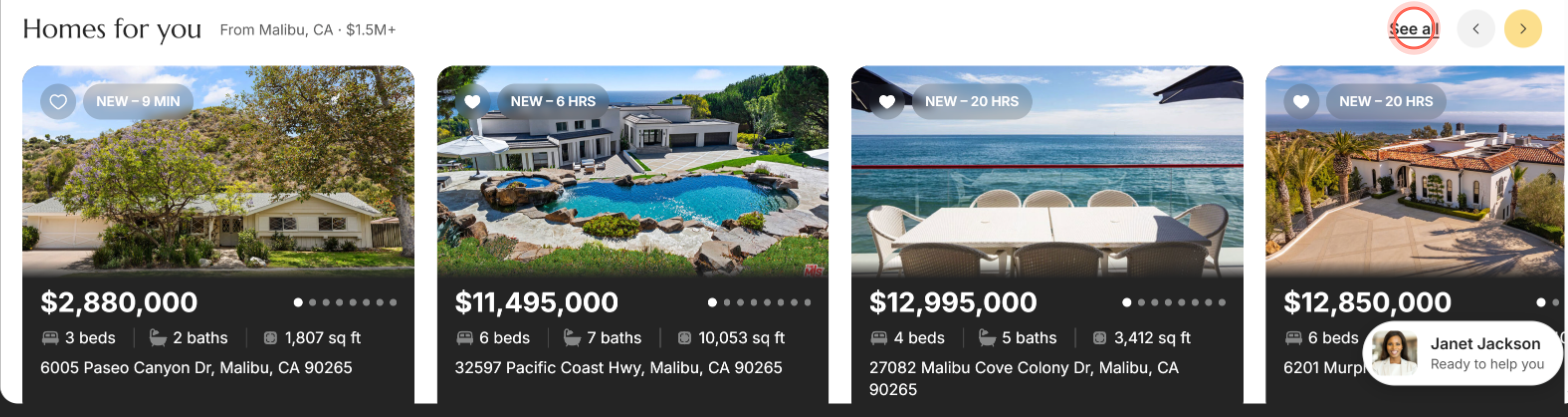
| Control | What it does | Learn more |
|---|---|---|
| "From" line | Your newest saved search. With no saved search, it's your last search, then the area you gave when you joined, then your agent's starting search. | |
| Left and right arrows | Scroll through the homes. Computers only. | |
| Heart on a home | Saves the home, or removes it if it's already saved. The Saved homes count changes with it. | |
| Photo arrows | Flip through that home's photos without opening it. | |
| Badge on a photo | What changed lately: NEW, PRICE CHANGE, BACK ON MARKET or COMING SOON. For the first 3 days it also says how long ago, like 4 HRS. | |
| A home | Opens the home's page. | Read a home's page |
| See all and a count, like See all 246 | Opens every home from this search in Home Search. The tile after the last home, See all homes, does the same and shows how many are on the market. On a phone, use the tile. |
If nothing matches, you see "No homes match" and the search name, with Adjust this search to widen it. If the homes don't load, click Try again.
Local services, Blog and Mortgage rates
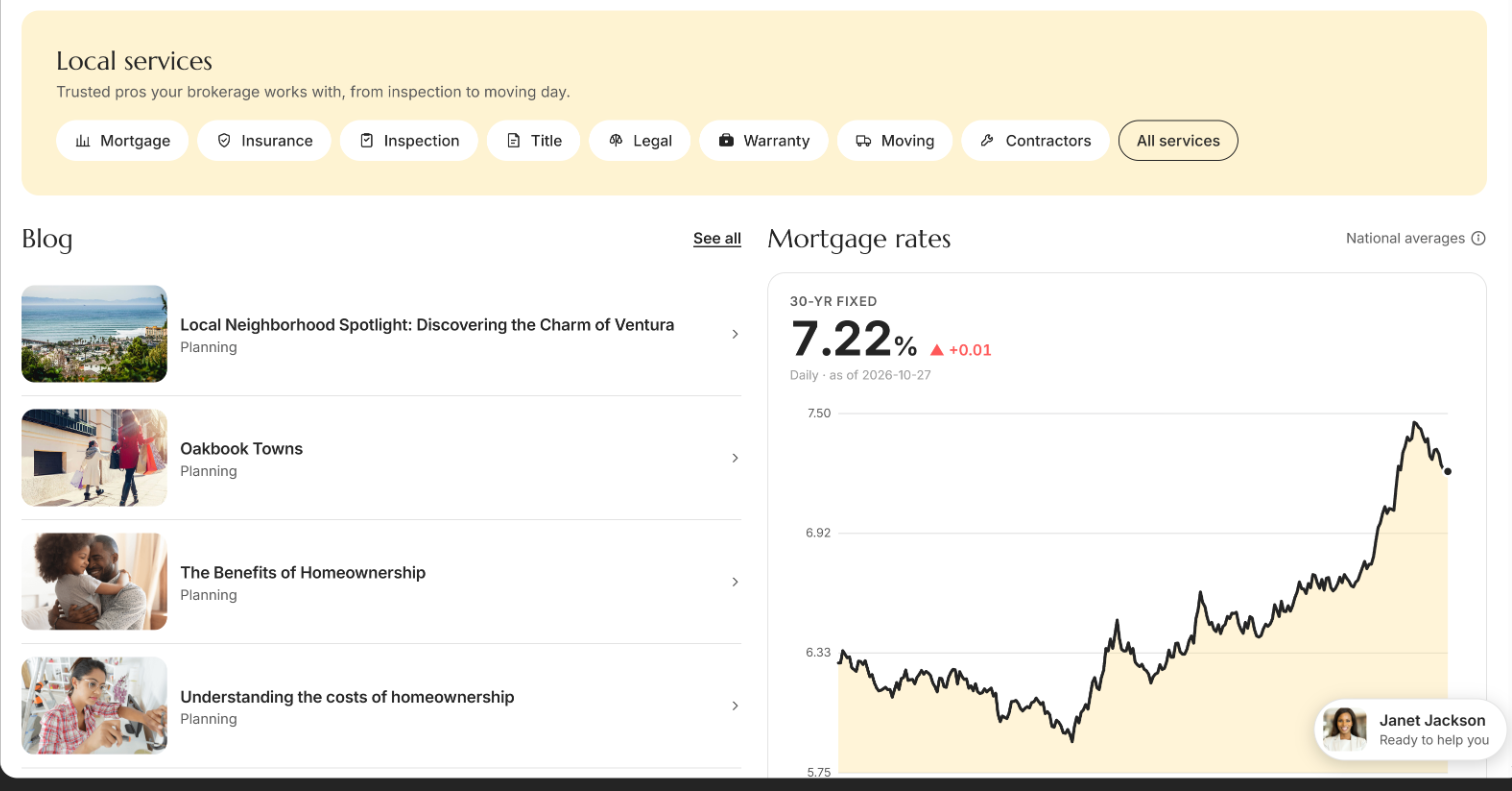
| Control | What it does | Learn more |
|---|---|---|
| Service pills, like Mortgage or Inspection | Open Services at that kind of pro. Up to eight kinds show, only ones with a recommended pro. | Find local pros on Services |
| All services | Opens Services with every kind of pro. | |
| A Blog article | Opens a short guide from your brokerage for your current stage of buying. | Learn about home buying |
| See all (beside Blog) | Opens Education, with every guide. | |
| Mortgage rates | The latest 30-year fixed national average with its change, a chart of the past 13 months, and the 15-year fixed rate. | |
| Info icon beside National averages | Explains that these are national averages for information only, not an offer of credit. Your own rate depends on your credit, loan and down payment. |
Good to know
- Your history stays on this device. Search history and your last search come from this browser only. Another phone or computer shows its own.
- Some sections can hide. Local services shows only when your brokerage has recommended pros. Blog says "No articles yet." when there are no guides for your stage.
- Your agent sees your saved homes. The homes you heart help your agent learn what you like.
- A message may be waiting. A number on your agent's chat bubble means they've sent you something.
FAQ
What does New matches mean?
It counts the homes in Homes for you marked NEW in the past week. Click the card to open the whole search sorted newest first, so the new homes are at the top.
How do I change the homes in Homes for you?
Save a search with the area, price and home type you want. Your newest saved search fills Homes for you.
Are these mortgage rates what I'd pay?
No. They're national averages, shown for information. Ask a lender for your own rate, or find one under Mortgage in Local services.
My search history disappeared. Where did it go?
Search history is kept in each browser. If you switched phones or browsers, or cleared your browsing data, it starts fresh there.
Why is there no Local services section on my dashboard?
Your brokerage hasn't added recommended pros yet, so the section stays hidden.
Still need help? Reach out to us at helpme@ruuster.com and we'd be happy to assist!