
Read a home's page
A home's page has photos, Street View, details, open houses, the map, a virtual tour and buttons to tour, chat or share.
Click any home in Home Search, on the list or the map, to open its page on top of your search. It has the photos, price, details, open houses and map, plus buttons to save it, share it, ask your agent about it or request a tour. Click Back to return to your search.
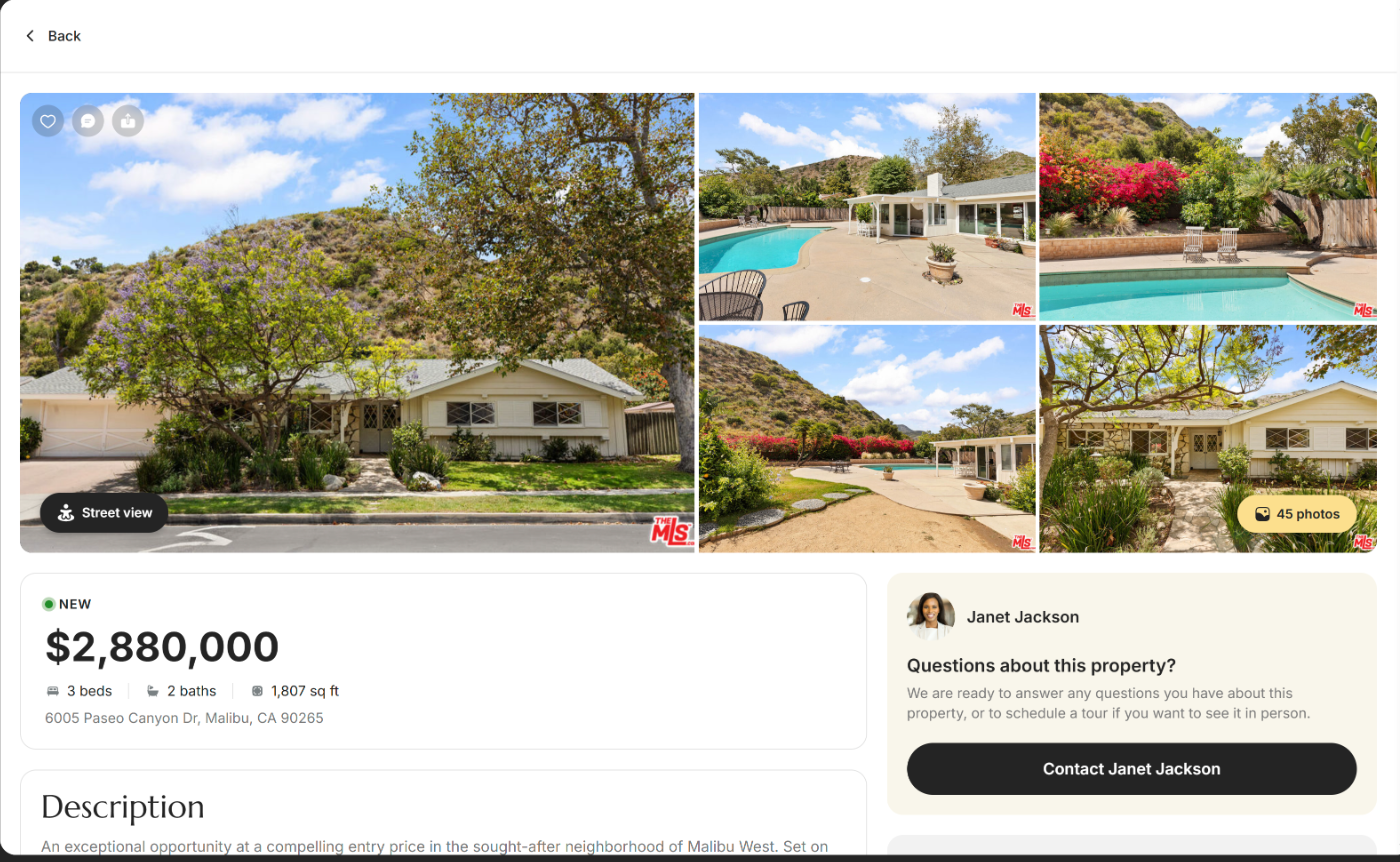
Photos at the top of a home's page
| Control | What it does | Learn more |
|---|---|---|
| Photo grid | Shows up to five photos. Click any photo to open the photo gallery. | |
| Photo count, for example 45 photos | Opens the photo gallery with every photo. | |
| Street view | Opens the gallery on its Street view tab, so you can look around the street in front of the home. | |
| Heart (Add to favorites) | Saves the home to your Favorites. Click it again to remove it. | Favorite homes |
| Chat bubble (Chat about property) | Sends the home to your chat with your agent and opens the chat, so you can ask about it. | Chat with your agent |
| Share icon (Share property) | Opens your device's share options so you can send the home by text, email or another app. | Share a home |
| No image placeholder | Shows when the listing came without photos. The heart, chat and share buttons still work. |
Price, description and open houses
| Control | What it does | Learn more |
|---|---|---|
| Status badge and price | Shows the price and the listing's status in capitals, such as NEW, PRICE CHANGE, BACK ON MARKET, COMING SOON, ACTIVE, ACTIVE UNDER CONTRACT, PENDING or CLOSED. The words come from the MLS, so they vary. Some listings show a price range. | |
| Beds, baths, size and address | Shows, for example, "3 beds", "2 baths", the square feet and the address. Some listings hide the street address. | |
| Description with Show More | Opens the full description written by the listing agent. Show Less folds it again. | |
| Listing credit, under the description | A short line such as "Listed by" names the agent and brokerage that listed the home, then the MLS it came from. On some listings it sits at the bottom of the page instead. | |
| Agent Information | On listings from some MLSs, for example in California, shows your agent's name, brokerage, email and phone. Click the email or phone to write or call. | |
| Open House or Open Houses | Lists upcoming open houses (set times when anyone can walk through the home) with the day, date and time. The day reads "Today", "Tomorrow" or the weekday, and "Happening now" marks one in progress. | |
| Show all 4 open houses | Appears when there are more than three. Show fewer open houses folds the list. | |
| Schedule a tour under the open houses | Sits beside the line "Tour when it works for you." Asks your agent for a private showing at a time that suits you. | Request a tour |
The MLS is the shared database of homes for sale that agents list on. It decides which details each listing shows.
Property Details
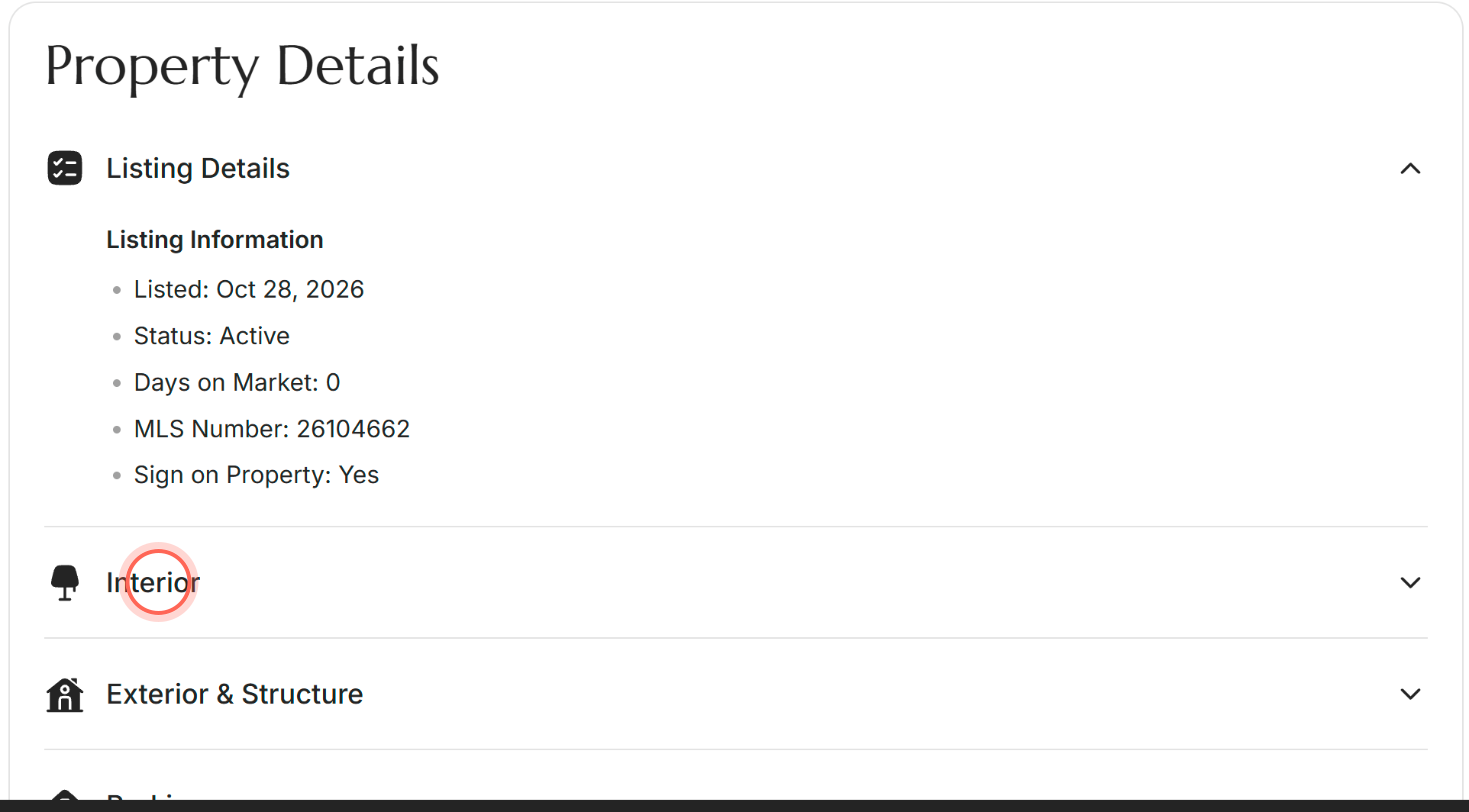
| Control | What it does | Learn more |
|---|---|---|
| Property Details | Lists the home's facts in categories, such as Listing Details, Interior, Exterior & Structure, Parking, Utilities & Systems, Location & Community and Price & Financial. Listing Details opens first; click any other category to open it. | |
| Virtual Tour, in Listing Details | When the listing has a tour, the link next to Virtual Tour opens it in a new tab. The link's words come from the listing, so they vary. | |
| Underlined values | Some details are links, for example a document from the listing. They open in a new tab. |
Map and MLS notice
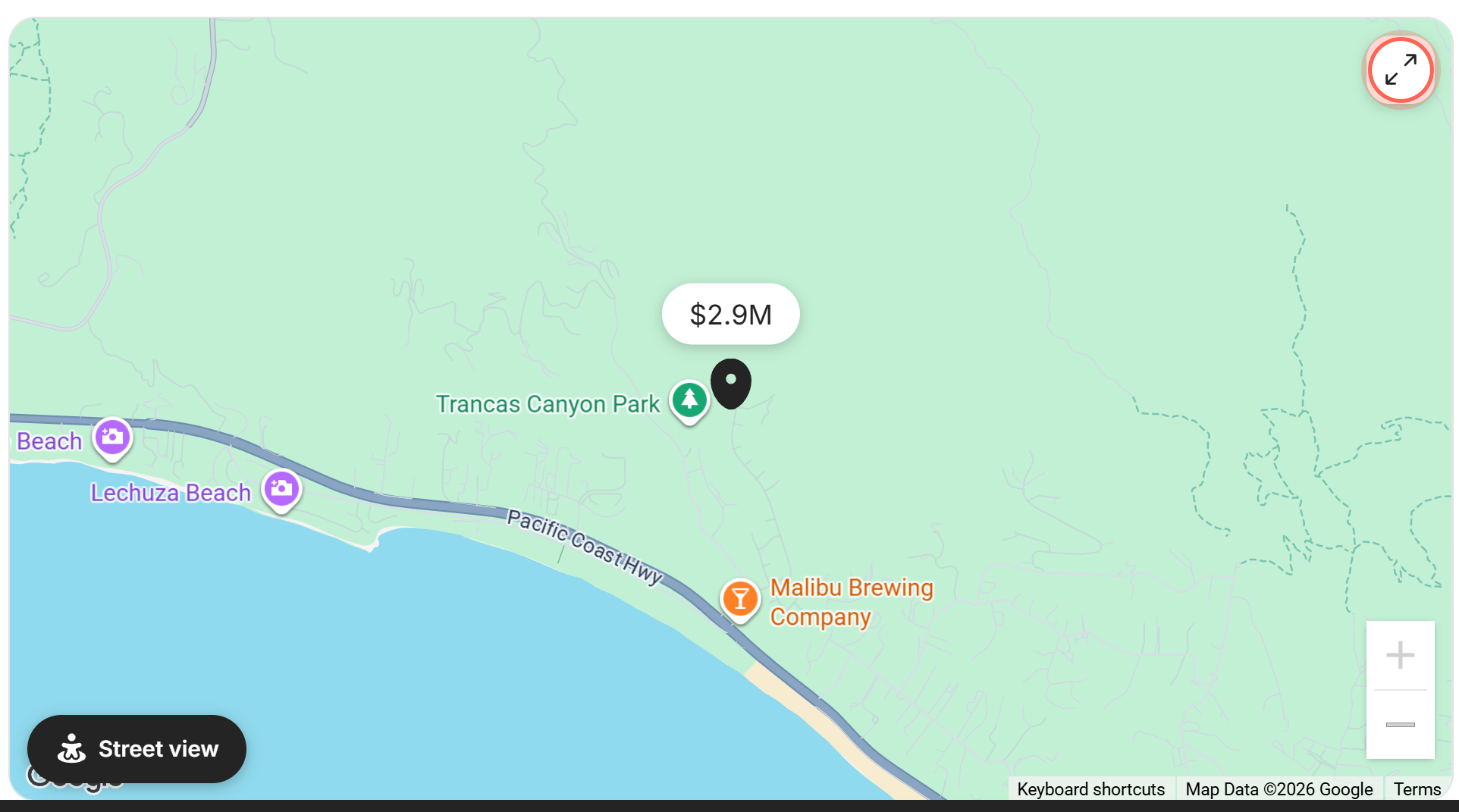
| Control | What it does | Learn more |
|---|---|---|
| Map with a price pin | Shows where the home is. Use + and - to zoom. Not shown when the listing hides its address. | |
| Street view and Map view | Switches the map to street level at the home, then back to the map. | |
| Expand icon (Expand map) | Shows the map full screen. Click Collapse map to go back to the home. Esc closes the whole home and returns you to your search. | |
| MLS notice | The MLS's notice about the listing data sits at the very bottom of the page, under Notes & feedback. |
Notes & feedback
These tools are for you. Your agent can see what you add, which helps them find homes you'll like.
| Control | What it does | Learn more |
|---|---|---|
| Property Rating | Rate the home's Price, Size, Fixtures and Location from 1 to 5 stars. | Rate homes |
| Notes | Type in Add note (optional) and click Save note to keep your thoughts on the home. | Add notes on homes |
| Photos | Add your own pictures with Select photos, or drag them in. SVG, PNG, JPG or GIF files up to 5MB each. Some MLSs don't allow your own photos. | Add your own photos of homes |
Contact your agent or request a tour
On a computer these cards sit on the right side of the home's page. On a phone they're two buttons at the bottom of the screen.
| Control | What it does | Learn more |
|---|---|---|
| Contact and your agent's name, under "Questions about this property?" | Opens a short form with your details and a message, ready to send to your agent. | Ask your agent about a home |
| Choose tour time, under Schedule a tour | Opens "Ready to tour?", where you pick a day and a time, click Next, confirm your details and send the request to your agent. | |
| Tour reminder, above the photos | After you request a tour, says "You requested a tour for" with the day and time, until that day passes. Click the X to hide it. | Request a tour, linked above |
Photo gallery
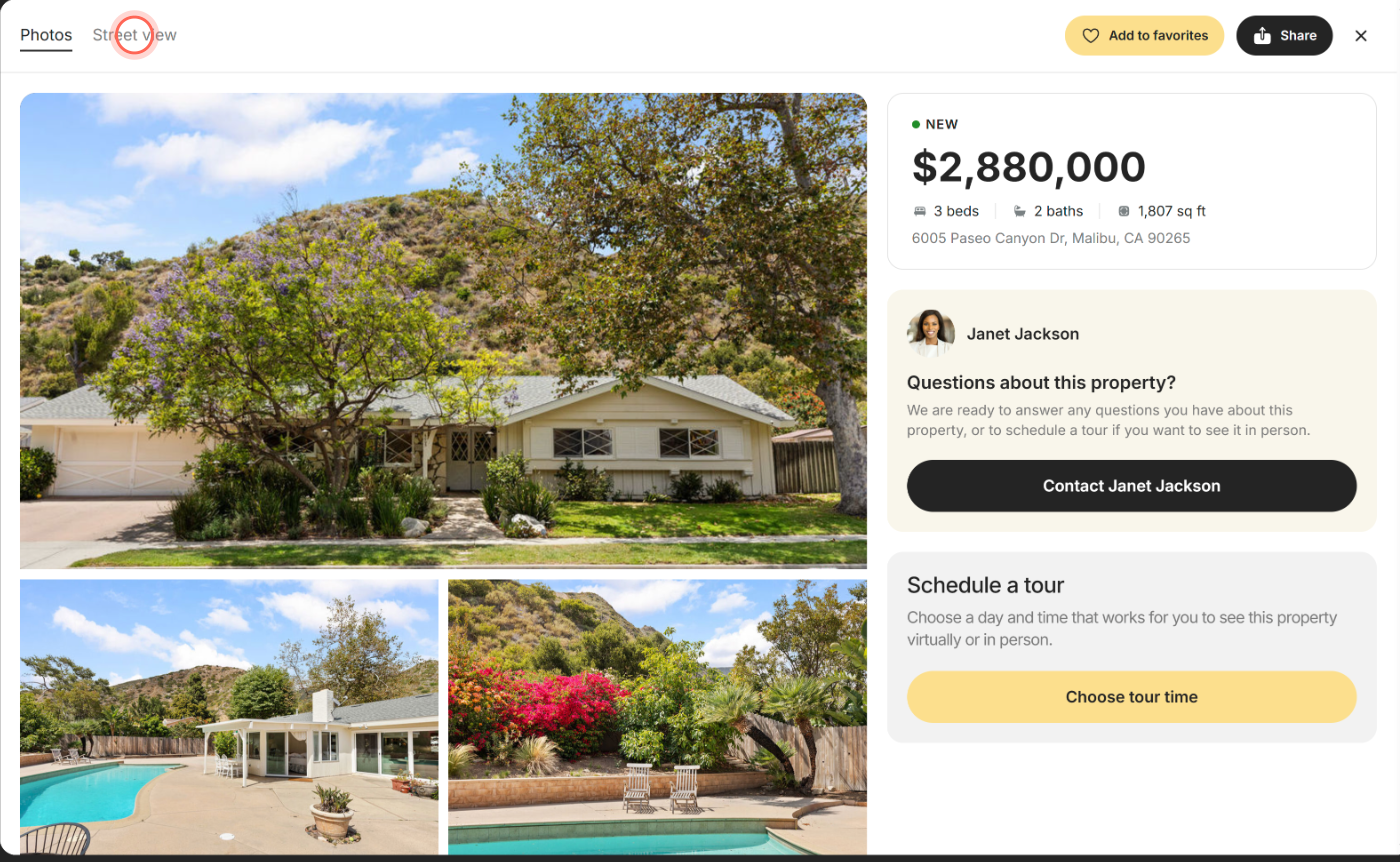
| Control | What it does | Learn more |
|---|---|---|
| Photos tab | Shows every photo. Click one to see it full size, then swipe or use the arrows to move through them. | |
| Street view tab | Shows Google Street View at the home. If Google has no pictures there, it says "Street view isn't available for this address". | |
| Add to favorites and Share | Save or share the home without leaving the gallery. On a phone they're icons under the photos. | |
| Price, contact and tour cards | On a computer, they stay beside the photos so you can reach your agent from the gallery. | |
| Close icon (X) | Closes the gallery and returns you to the same spot on the home's page. |
Close a home's page
| Control | What it does | Learn more |
|---|---|---|
| Back | Closes the home and returns you to your search, or to the page you opened it from, like your dashboard. Esc does the same. | |
| Close icon (X) in the top bar | Appears once you scroll down, next to a short summary of the price, address, beds, baths and size. Closes the home. | |
| "Property listing not available" | The home is no longer listed, for example because it sold or the listing ended. Click Back to keep searching. |
Good to know
- Every home has its own link. The address in your browser includes the home, so you can bookmark it. Your browser's back button closes it too.
- Old links still work. Home links in older emails and messages open this same page.
- Shared links show a preview. When you paste a home's link into a text or social app, the preview shows its first photo and address.
- Your agent sees what you open. Opening a home lets your agent know you looked at it, so they can send you similar ones.
- Signed out? If you open a home's link without signing in, you may see Sign In at the top instead of Back. Sign in to save, chat or request a tour.
FAQ
Why is there no map or Street View on some homes?
Some listings hide their address, so the map and Street View are hidden too. If Google has no street pictures for an address, the Street view tab says so.
Who do I call about a house I like?
Your own agent. Click Contact with your agent's name on the home's page, or tap the chat bubble over the photos to send them the home.
What does Pending mean on a listing?
The seller has accepted an offer, but the sale hasn't closed yet. Ask your agent whether it's worth making a backup offer.
Why are some details missing compared with other sites?
Property Details shows what the MLS sent for that home, and empty fields don't show. Your agent can look up anything else you need.
Can I see the home on a bigger map?
Yes. Click the expand icon in the corner of the map to see it full screen. Click Collapse map to return to the home. Pressing Esc closes the whole home instead.
Still need help? Reach out to us at helpme@ruuster.com and we'd be happy to assist!