
Ask your agent about a home
On a home's page, use the Contact button to send your agent a question with the address attached, or the chat button to talk it over in chat.
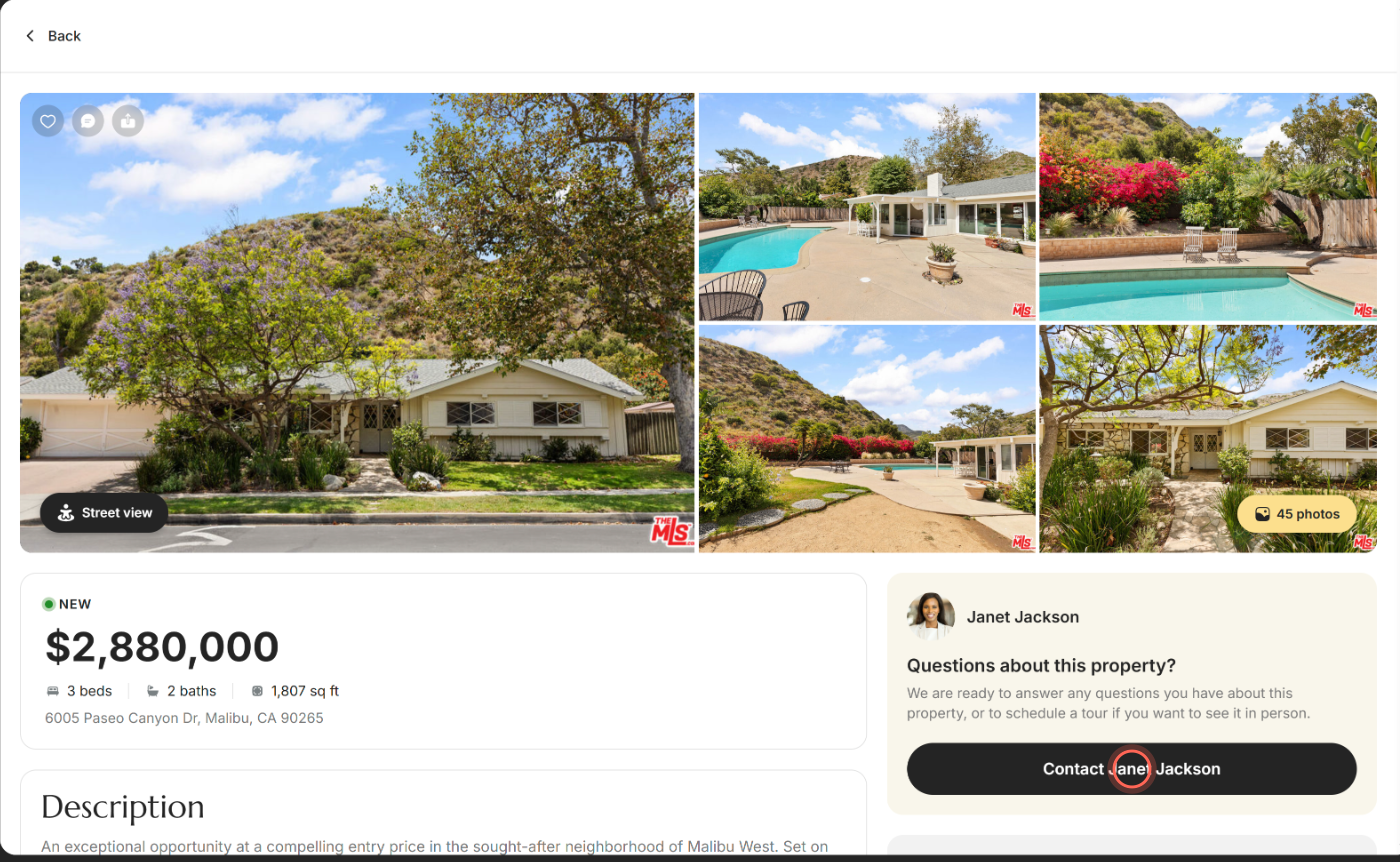
On a home's page, click Contact with your agent's name in the Questions about this property? card, then click Contact agent. Your agent gets your question with the home's address. To talk it over in chat instead, click the chat button over the photos; it sends the home to your agent right away.
Send your agent a question
- Open the home's page from Home Search or Favorites.
- In the Questions about this property? card, click Contact with your agent's name.
- Check your First Name, Last Name, Email and Phone number.
- Edit the Message if you like. It starts as "I'd like more information about" and the home's address.
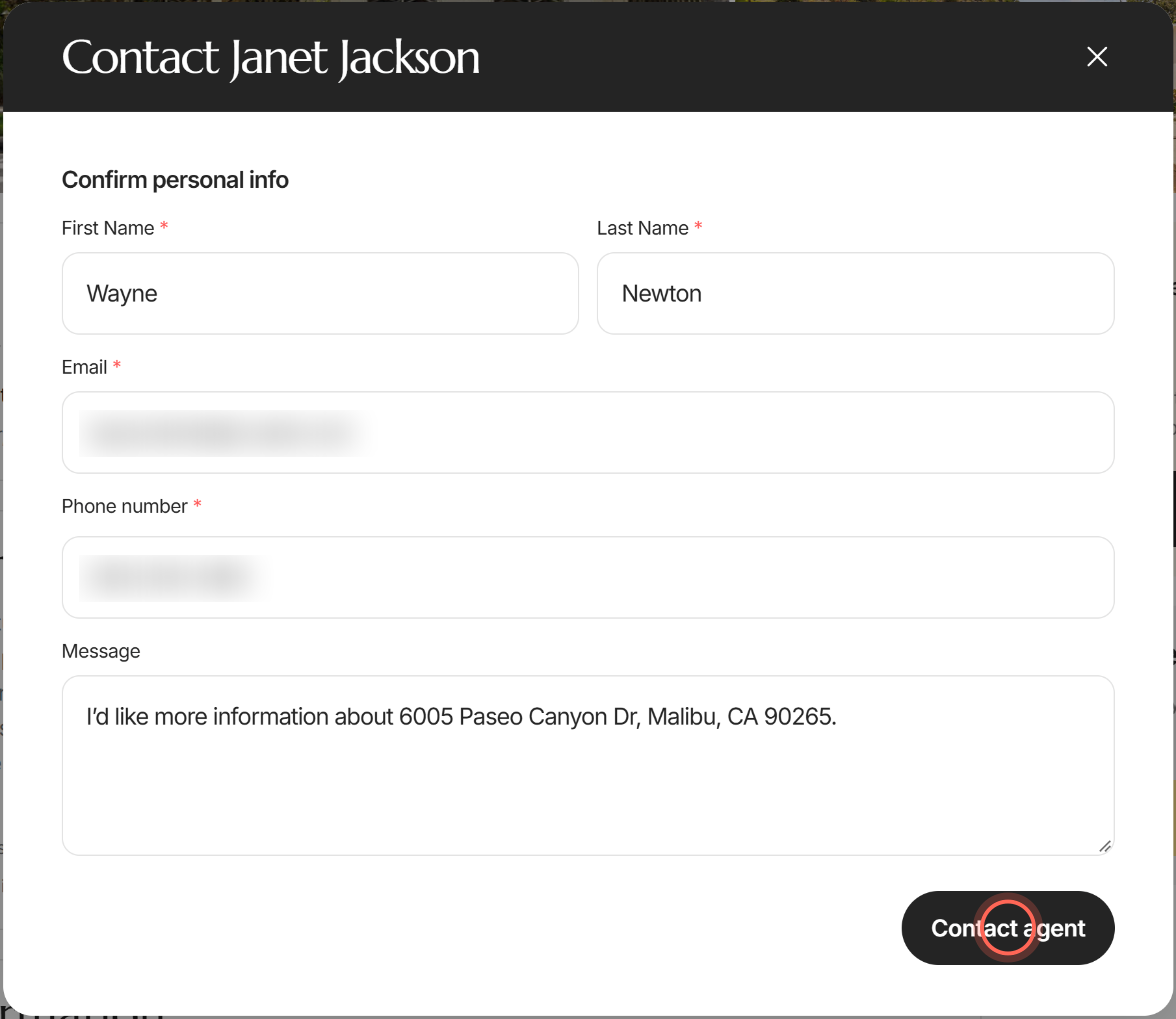
- Click Contact agent.
A "Success" message says "Your request has been successfully sent to the agent." Your agent gets your message by email, along with the home's details. If you're signed in, the home is also added to your Favorites, so its heart fills in.
Add a tour request
Right after you send your question, the same window says "Thank you, I'll be in touch shortly." and offers to set up a tour.
- Click the day you'd like to see the home.
- Click Select a time and tick the times that work for you.
- Click Apply.
- Click Request tour.
- Click Done.
You'll see "Tour request received!" with your day and time. Your details from the question are used, so there's nothing to retype. Don't need a tour? Close the window with the X; your question was already sent. For more about tours, see Request a tour.
Chat with your agent about a home
Clicking the chat button sends the home to your agent right away, before you type anything. Click it only when you're ready for your agent to see the home.
- Open the home's page.
- Click the chat button over the photos. The home is sent to your agent at once.
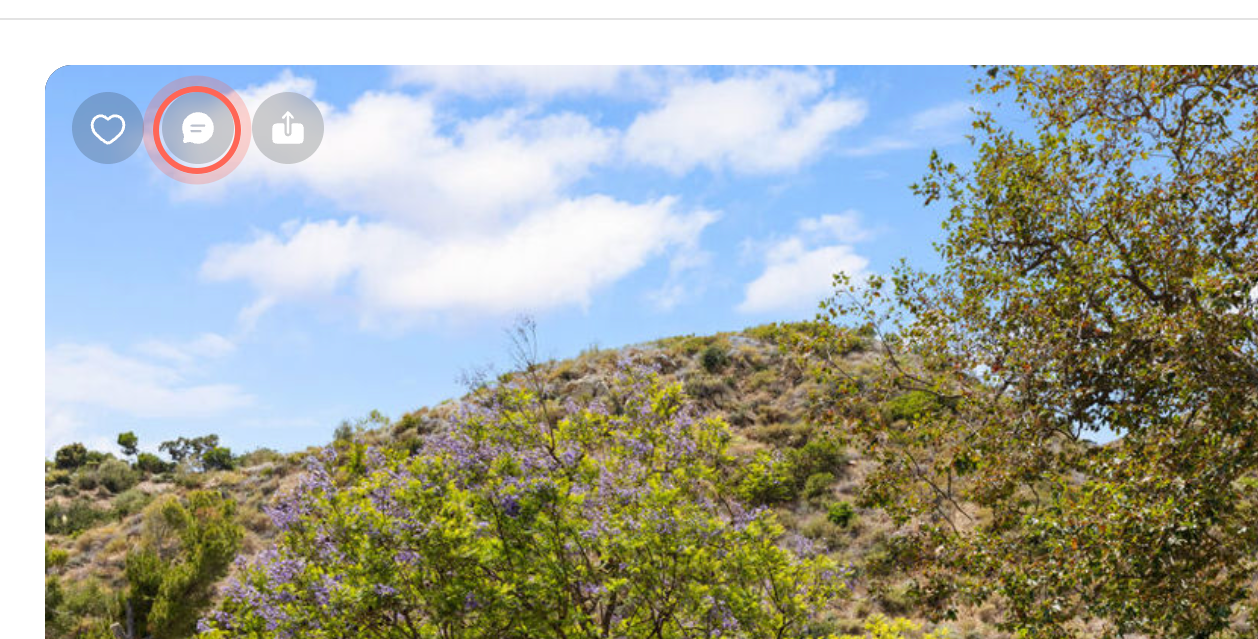
- In the chat that opens, type your question in Enter message and send it.
The home is already in your chat as a card, so your agent knows which home you mean. See Chat with your agent.
Email or call your agent from the home's page
On some homes, an Agent Information card sits under the description with your agent's email and phone number.
- On the home's page, scroll down to Agent Information.
- Click the round button next to the email to write, or next to the phone number to call.
Your mail app or calling app opens with your agent's email or number filled in. If you don't see the card, use the Contact button or chat instead.
Ask before you have an account
If you're looking at homes on your agent's page and aren't signed in, you can still reach them. Here too, the chat button sends the home to your agent, as soon as your account is ready.
- On the home's page, click the chat button over the photos.
- In the Welcome! window, enter your details and click Continue.
- If your agent's app asks for a code, enter it.
The home opens again, a banner says your chat is opening, and the home is sent to your new chat with your agent before you type anything. The Contact button works without an account too: fill in your details, read the consent note under Contact agent, and send.
Good to know
- On your phone. The Contact button sits in the bar at the bottom of the home's page, next to Choose tour time.
- Your details fill in for you. When you're signed in, the form uses the name, email and phone on your account. Changing them here doesn't change your account.
- Contact or chat? Contact sends one question to your agent by email. Chat keeps the whole conversation in one place in the app.
- If chat won't open. You'll see "Could not open chat. Please try again." Reload the page and try again, or message helpme@ruuster.com.
- If the question won't send. You'll see "Couldn't send your request". Reload the page and try again.
FAQ
The Contact agent button is grayed out or doesn't do anything. Why?
It turns on once First Name, Last Name, Email and Phone number are all filled in correctly. Look for a red note under a field to see what to fix.
Will my agent know which home I'm asking about?
Yes. Your message includes the address, and the home's price, beds, baths and size go with it.
Can I ask about a home without signing up?
Yes. On your agent's page, the Contact button works without an account. To use chat, you create a free account first.
How do I reach my agent about something other than a home?
Use the chat bubble at the bottom of the page, or find their phone and email on your agent's profile.
Still need help? Reach out to us at helpme@ruuster.com and we'd be happy to assist!