
Rate homes
Using Ruuster 1.0? Read the 1.0 version of this article.
Rate a home from 1 to 5 stars on price, size, fixtures and location so you and your agent know what you love and what to skip.
On a home's page, scroll to the bottom, past the map, to the Property Rating card and click 1 to 5 stars for Price, Size, Fixtures and Location. Each rating saves the moment you click, and the stars next to Property Rating show the home's overall score.
Before you start
- You need to be signed in to your account. Property Rating doesn't show on your agent's public page or on a brokerage website.
Rate a home
- Open the home's page from Home Search or Favorites.
- Scroll to the bottom of the page, past the map, to the Property Rating card.
- Click a star next to Price. One star is the lowest, five the highest.
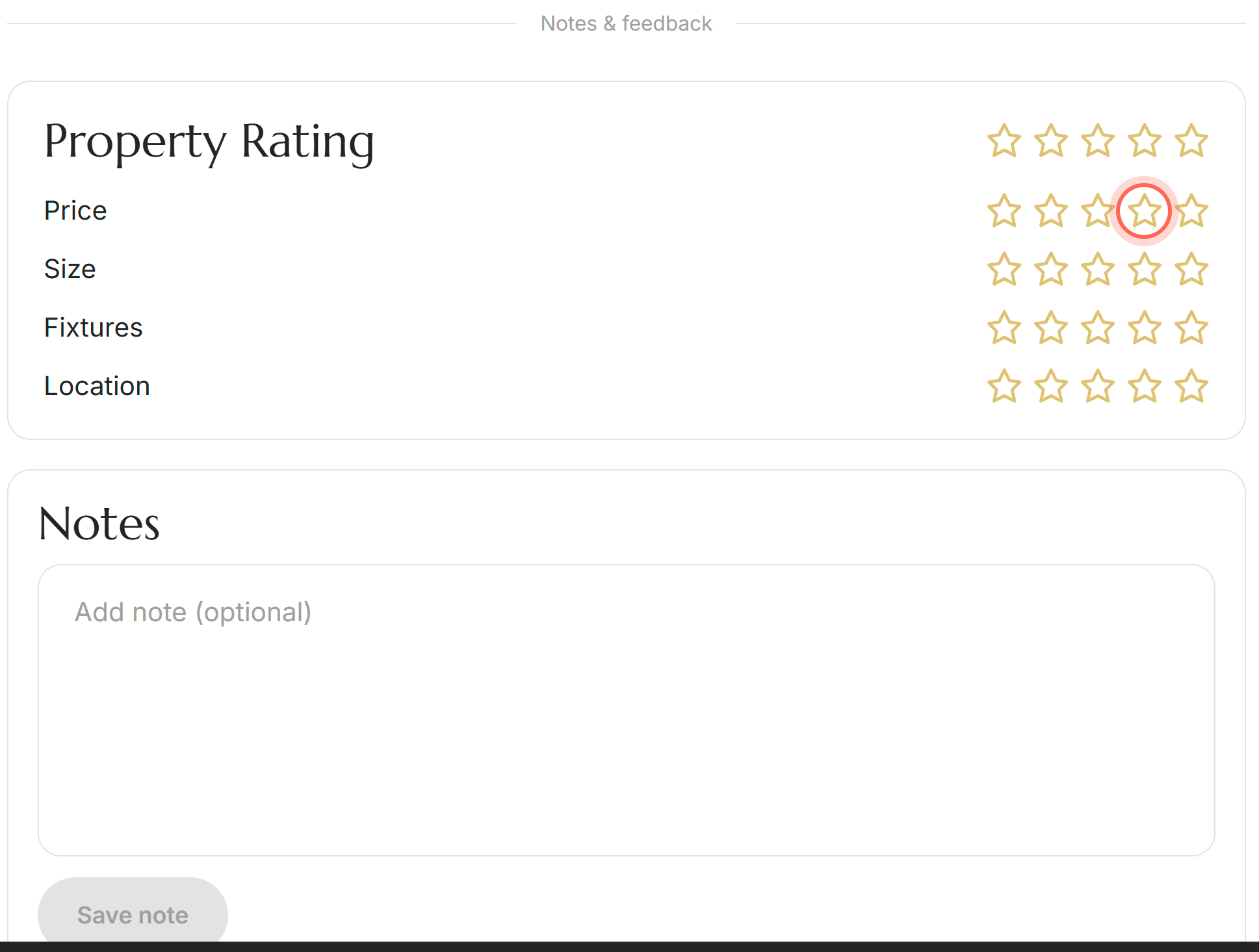
- Click a star for Size, Fixtures and Location too.
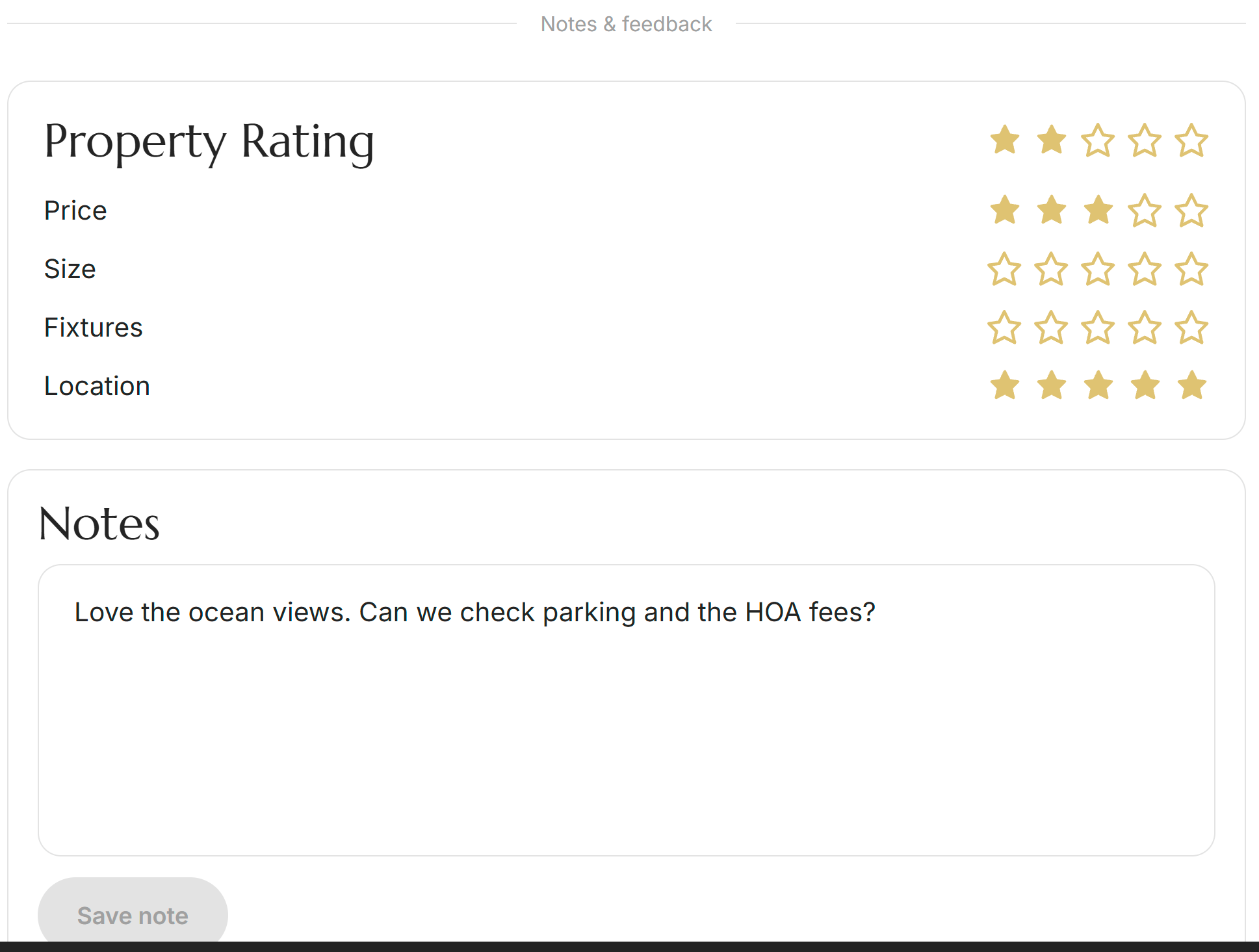
A "Rating saved" message appears after each click, and the overall stars at the top update. There's no save button to press.
Change a rating
- Open the home's page and scroll to the Property Rating card at the bottom.
- Click a different star in the row you want to change.
You'll see "Rating saved", and the overall stars update to match.
Good to know
- How the overall score works. The stars next to Property Rating are the average of all four rows, shown in whole stars rounded down. An average of 3.75 (4, 4, 4 and 3) shows 3 stars. A row you haven't rated counts as zero, so rate all four for a fair score.
- Who sees your ratings. You and your agent. Your agent sees each rating alongside your other activity, which shows them what matters most to you. Sellers and other buyers can't see them.
- Pair them with notes. Stars show which homes came out on top. A note reminds you why.
- If saving fails. You'll see "Couldn't save your rating" and "Please try again later." Click the star again in a moment.
FAQ
How is the overall property rating calculated?
It's the average of your Price, Size, Fixtures and Location stars, with any row you skipped counting as zero. For example, 3 stars for Price and 5 for Location, with the other two blank, gives an overall score of 2 stars.
Can I clear a rating completely?
No. Once a row has stars, you can change it but not empty it. Click 1 star to give it the lowest score.
Do I have to rate all four categories?
No, but blank rows pull the overall score down. Rate all four if you want to compare homes side by side.
Can I score a home I haven't seen in person?
Yes. You can rate any home you open while signed in, before or after a tour. To keep track of the ones you like, heart them too.
Still need help? Reach out to us at helpme@ruuster.com and we'd be happy to assist!