
Why you're asked to sign up to see homes
Some agents ask you to sign up before showing homes. Here's why, what you get with a free account, and how to sign in instead.
You can browse homes on your agent's page without an account. Saving a home or search, or chatting, needs a free account, and some links your agent shares ask you to register first. Fill in the window, or click Sign In if you have an account.
How it works
Your account holds your saved homes, saved searches and messages, and connects you with the agent whose page you're on. So before you keep something, the app asks who you are. It's free, and your phone number is your first password.
You'll meet one of three windows, depending on where you are.
| Window | When it shows | What happens after you sign up |
|---|---|---|
| Welcome (your agent's photo) | When you open your agent's page | You confirm your phone and answer a few questions if asked, then reach your dashboard. |
| Welcome! | When you tap the heart or Save on your agent's home search, or the chat icon on a home's page | You come back to the same home or search, with your heart or save finished. |
| Free access | On some links your agent shares, right away or after you've viewed a few homes | You go on to see the home's full details. |
Sign up on your agent's page
The Welcome window opens by itself when you arrive. Click the X if you'd like to look around first.
- Enter your First name and Last name.
- Enter your Email.
- Enter your mobile number in Phone.
- Click Create account.
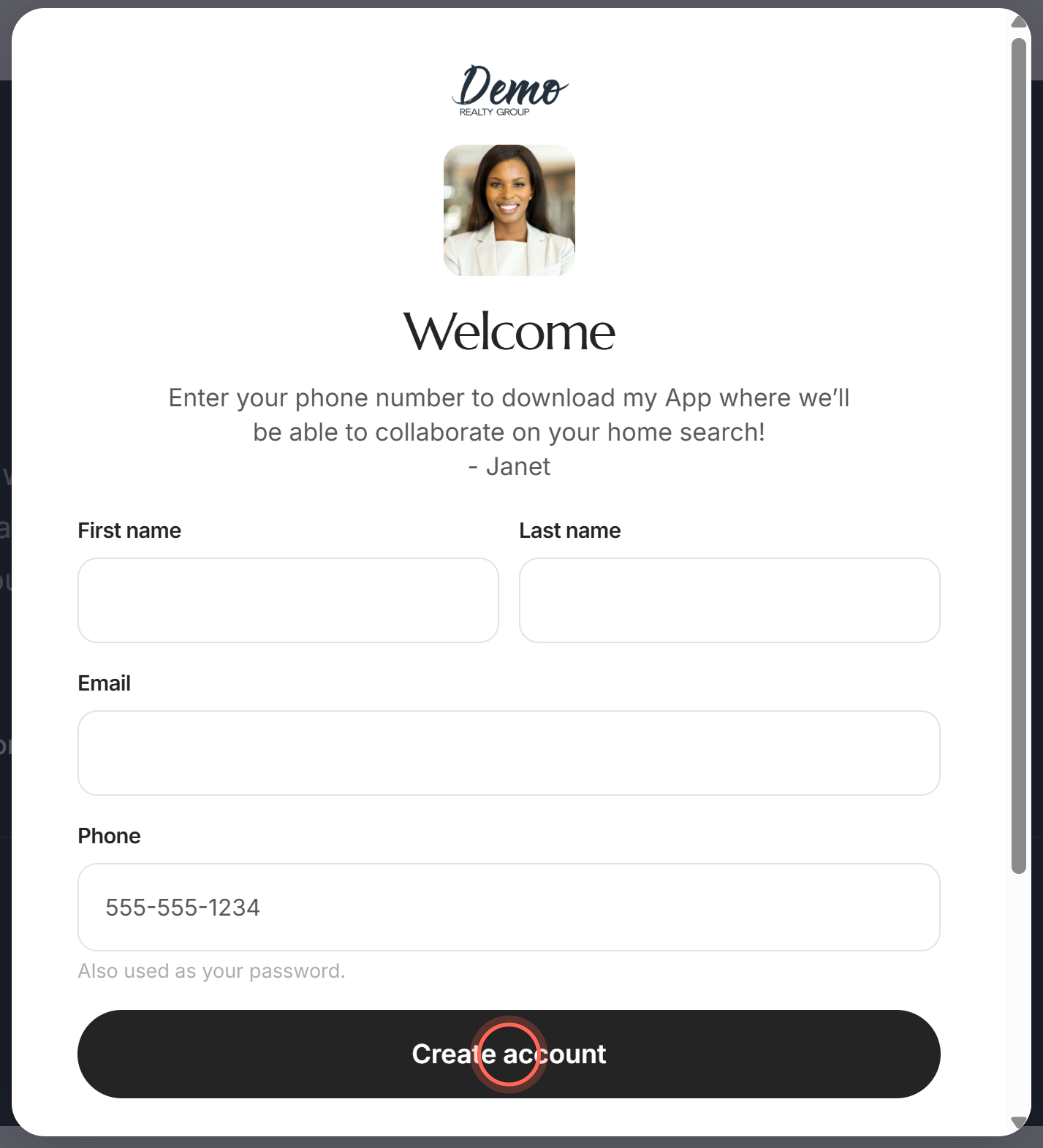
Next, the app may ask you to confirm your phone with a text code. See Create your account for the rest of the way in.
Sign up to save a home or search
- Tap the heart or Save on your agent's home search, or the chat icon on a home's page.
- In the Welcome! window, enter your First Name and Last Name.
- Enter your Email and Phone number.
- Click Continue.
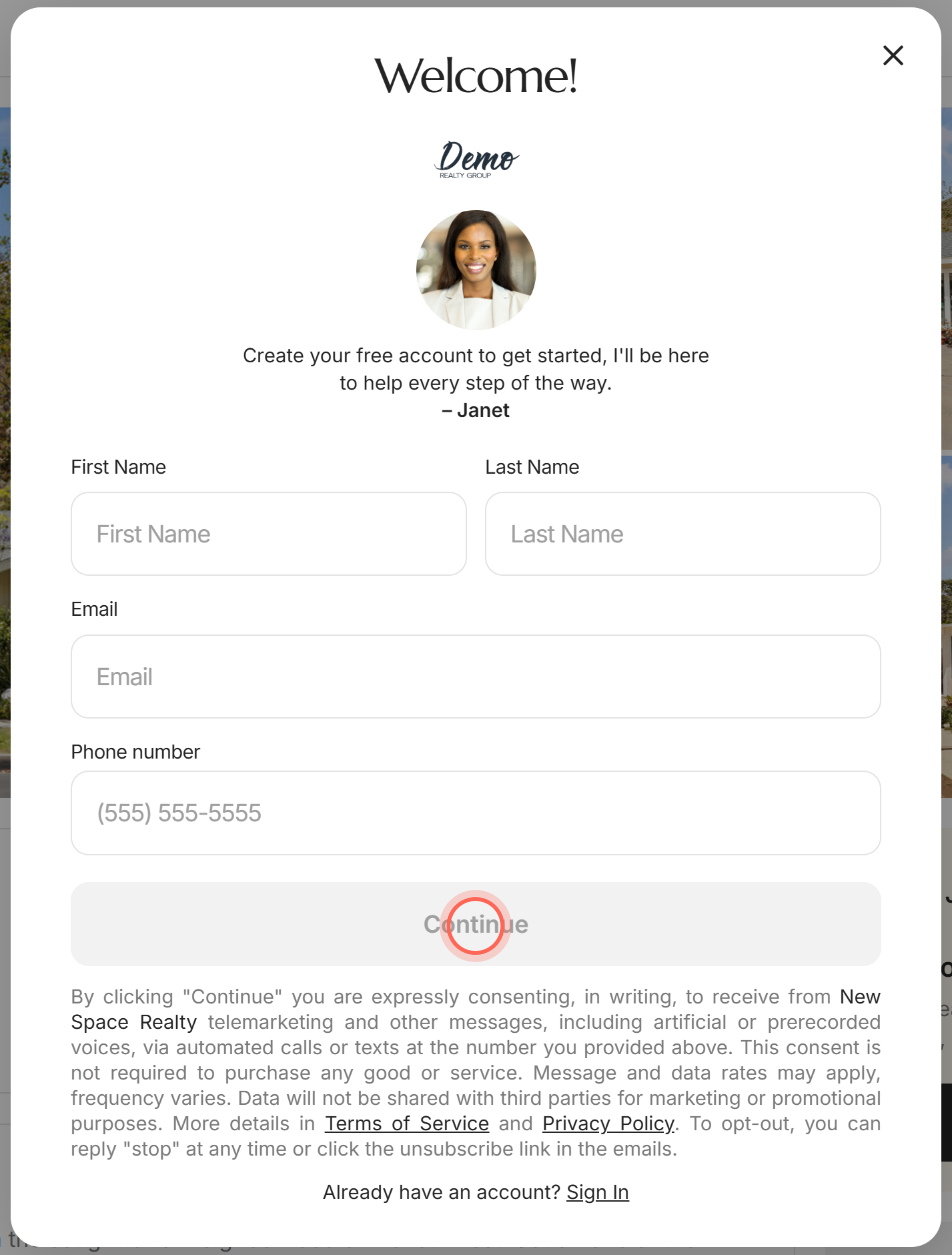
Continue stays greyed out until every field is filled in. After a quick phone check (if your agent's app asks for one), you're back where you were. A home you hearted is in your Favorites, and a search you saved opens its save panel so you can finish.
Register on a Free access window
Free access says "Access full property details and exclusive listings." It can't be closed, because the link your agent sent is set to need an account.
- Enter your First Name and Last Name.
- Enter your Email and Phone number.
- Click Continue.
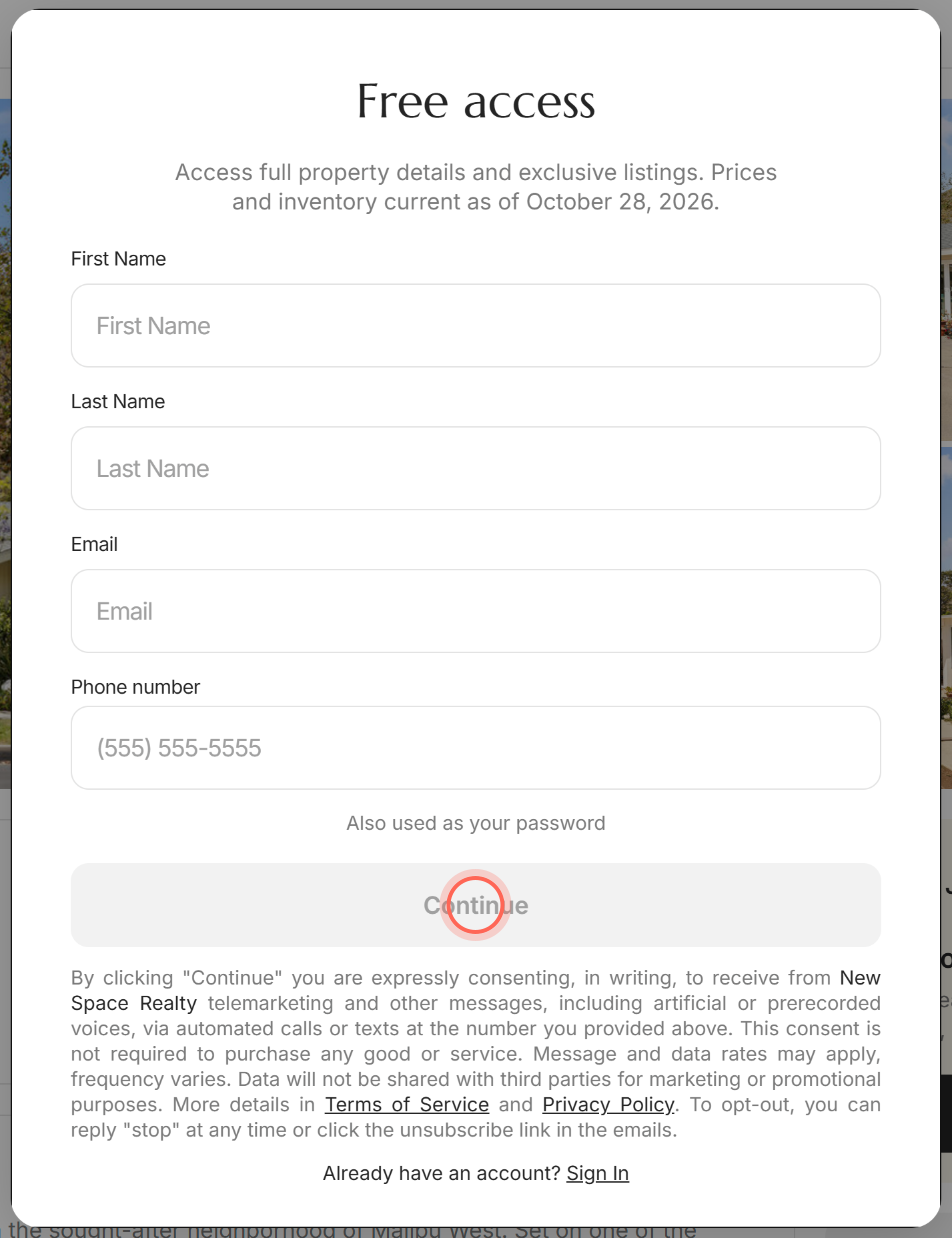
Continue stays greyed out until every field is filled in. After a quick phone check (if your agent's app asks for one), you see the home's full details. On a brokerage's own website, signing up finishes in a new tab.
Sign in instead
Every sign-up window has a sign-in link: Already have an account? Sign In (or Sign in). Click it and sign in with your email and password.
Your agent's page also has Sign In at the top (inside the menu on a phone). See Sign in and reset your password.
What a free account gives you
| With an account you can | Learn more |
|---|---|
| Save homes with the heart and see them all in one place | Favorite homes |
| Save a search and get alerts when new homes match | Save a search and get alerts |
| Chat with your agent and request tours | Chat with your agent |
| Use the budget calculators, guides and local pros | Find your way around the app |
Your agent's page
| Control | What it does |
|---|---|
| Home Search | Opens your agent's search of homes for sale. |
| Sign In | Opens the sign-in page, with your brokerage's logo, or its name, above the form. |
| Get Started / Get Started! | Opens the sign-up page. Shown on some agents' pages only. |
| Phone number and email | Call or email your agent. |
| App Store and Google Play badges (under Get the app) | Open the Welcome window. After you sign up, you get a text with a link to download the app. |
| Homes for sale | Browse homes right on the page. When your agent or their office has listings, tabs appear above it: Home search, your agent's own listings and Office listings. |
| Footer links | Terms of Service, Privacy Notice, MLS Legal Disclosures and Support. |
FAQ
Is signing up free?
Yes. Creating an account costs nothing, and you can delete it any time from Settings.
Why can't I close the Free access window?
The link your agent shared needs an account to show full details. The window has no X, and Esc doesn't close it. Register, sign in, or use your browser's Back button to leave.
Why does tapping the heart ask me to make an account?
Your saved homes are kept in your account, so the app needs one first. Once you sign up, the home is saved for you.
Do I have to give my phone number?
Yes. It's your first password, and it's how your agent can reach you. The note under the form explains the texts and calls you agree to and how to opt out.
A new tab opened when I clicked Continue. Is that normal?
Yes, on a brokerage's own website. If your browser says "Please allow pop-ups to continue.", allow pop-ups for that site and click Continue again.
Still need help? Reach out to us at helpme@ruuster.com and we'd be happy to assist!