
Use the + create menu
The + button in the header invites a client, starts a new template or adds an agent (admins), from any page in Ruuster.
Click the + button in the header to start something new from any page. It offers Invite a Client, New Template and, for admins, Add a New Agent. On a phone, tap the gold + in the middle of the bottom bar.
Open the + menu
- Click the + button at the top right of any page, beside the magnifier.
- Click the item you want to start.
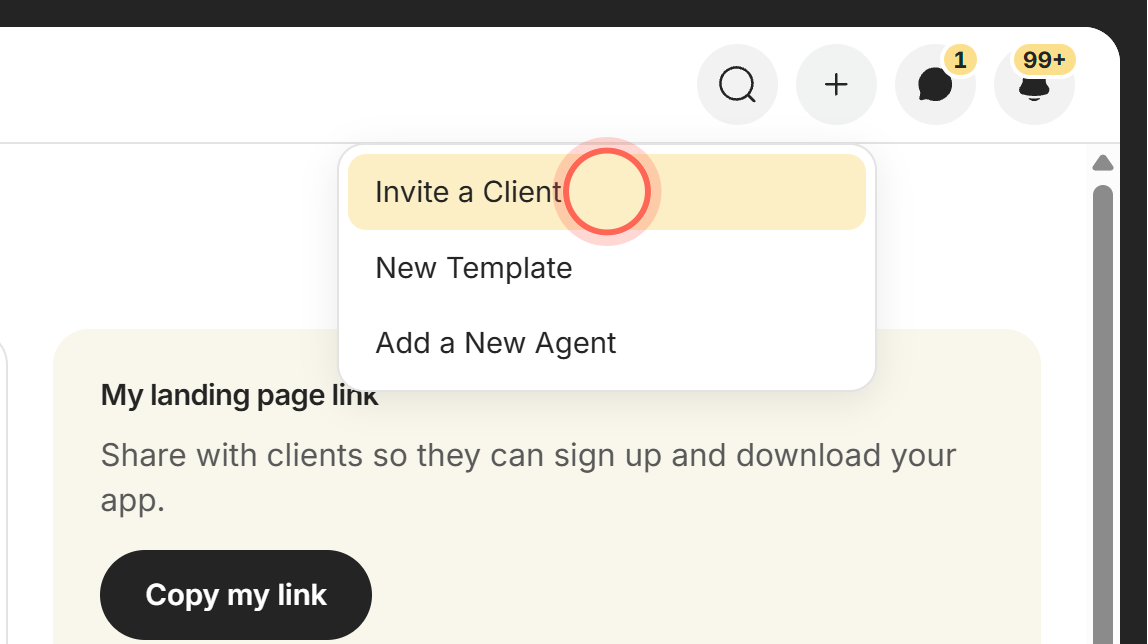
The menu closes and the form or page you picked opens.
What's in the menu
| Control | What it does | Learn more |
|---|---|---|
| Invite a Client | Opens the Invite a client form over the page you're on, so you don't lose your place. Click Send invitation and you see "Invitation sent to" and the client's name. | Invite a client |
| New Template | Opens Templates. Click New Template at the top of that page to start one. | Create a custom template |
| Add a New Agent (Admin) | Opens Team with the Add a new agent form open. If every seat is in use, Add more user seats opens instead. | Add a team member |
Good to know
- Admins see three items. Agents see Invite a Client and New Template. Add a New Agent shows for admins only.
- New Template takes two clicks. The menu opens the Templates page. The new template starts when you click New Template there.
- Refresh All Clients after inviting. If you invite from the + menu while All Clients is open, reload the page to see the new row.
- Works with the keyboard. Use the arrow keys to move, Enter or Space to pick, and Esc to close.
- Same menu on a phone. The gold + in the bottom bar has the same items and opens upward.
FAQ
How do I invite a client in the new design?
Click + in the header, then Invite a Client. Fill in their details and click Send invitation.
Where is the plus button?
At the top right of every page, next to the magnifier. On a phone it's the gold button in the middle of the bottom bar.
I picked New Template and only the Templates list opened. What now?
That's expected. Click the New Template button at the top of the Templates page.
Why don't I see Add a New Agent?
It's for admins only. Ask your brokerage admin to add the new teammate.
Can I close the menu without picking anything?
Yes. Press Esc or click anywhere outside the menu.
Still need help? Reach out to us at helpme@ruuster.com and we'd be happy to assist!