
Get a copy of your clients' alerts
Get your own copy of the alerts your clients receive, with its own frequency and delivery method.
Yes. When you save or edit a client's search, tick Send a copy of these alerts to the agent under Additional options. Agent send frequency and Agent send method then appear, so your copy can run on its own schedule.
Before you start
- The copy works on custom searches attached to a client. Templates and AI searches don't offer it.
- The copy goes to the client's assigned agent.
Turn on your copy for a new search
- Start the client's search with Add a search on their page or Save on Home Search.
- Under Additional options, tick Send a copy of these alerts to the agent.
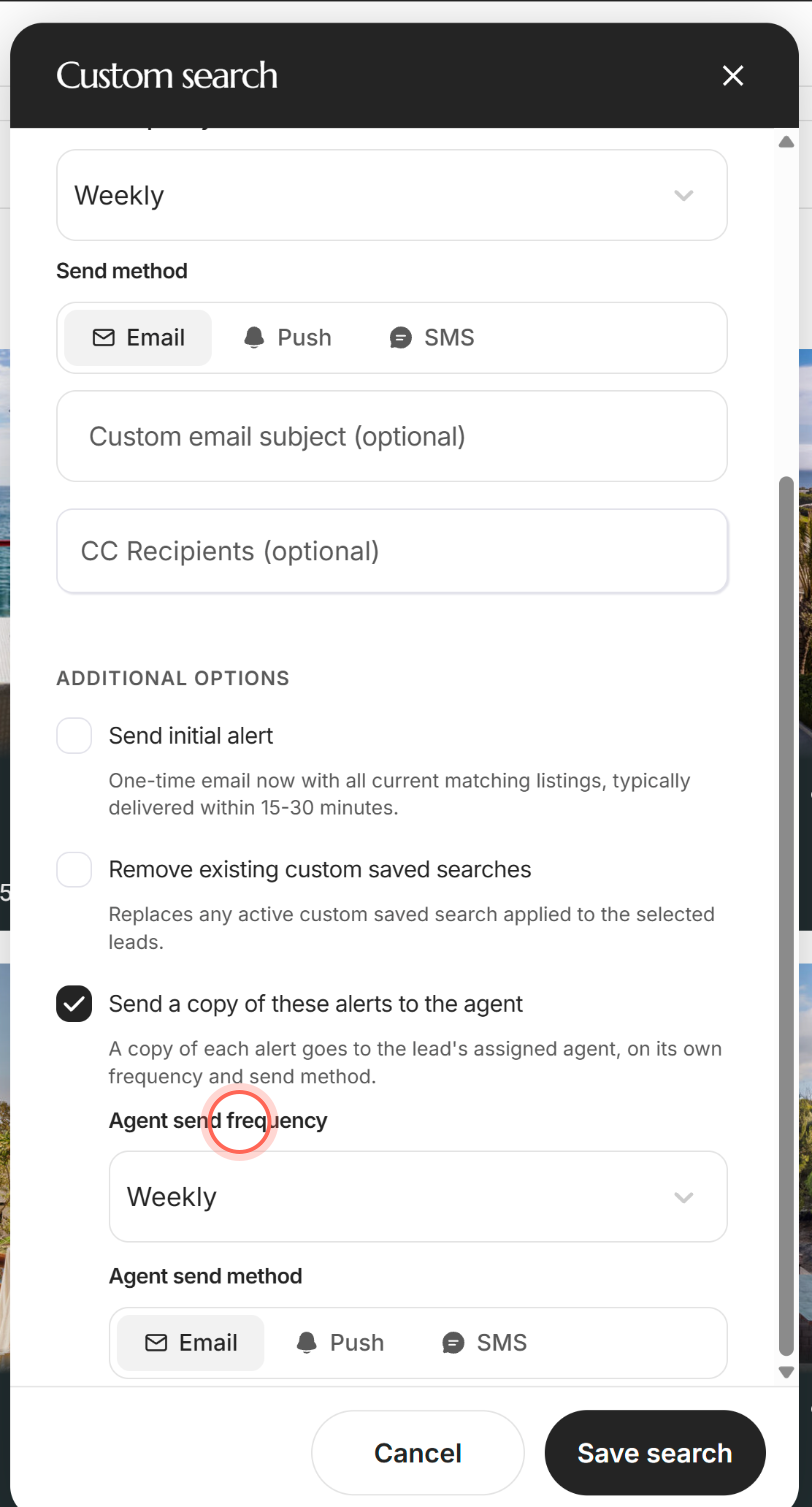
- Choose an Agent send frequency.
- Choose an Agent send method.
- Click Save search.
Saved search created appears. On the client's page, the search now shows an Agent alerts line with your schedule, such as "Weekly via Email".
Change or stop your copy
- On the client's page, click the search in the Searches section.
- Tick or untick Send a copy of these alerts to the agent.
- Change Agent send frequency or Agent send method if you need to.
- Click Save changes.
A Success message appears, and the search's Agent alerts line shows the new schedule or Off. For the rest of the Edit search window, see Edit a saved search.
Good to know
- It starts from your client's settings. Ticking the box copies the client's frequency and picks Email. From then on, changing one doesn't change the other.
- Agent-only alerts work. Set the client's Send frequency to No update and keep your copy on to watch a search quietly.
- To stop, untick the box. Agent send frequency has no No update option.
- It goes to the assigned agent. On another agent's client, the copy reaches that agent, not you.
- Unsubscribing stops all your copies. Clicking Unsubscribe in a copy turns off your email copies on every search you created. It's the email's unsubscribe, not a setting for one search.
FAQ
Can I CC myself on saved search alerts instead?
You can add your address to CC Recipients (optional), but a CC follows the client's schedule. The agent copy has its own frequency and method.
Where did the agent alert frequency setting go?
It sits under the checkbox. Tick Send a copy of these alerts to the agent and Agent send frequency appears.
Can I get copies of my leads' AI Nurture emails?
No. The agent copy is for custom searches only. See What is AI Nurture?
Can I turn on copies for all my clients at once?
No. Turn it on one search at a time.
What does my copy look like?
It's like the property alert your client receives, but it tells you which client it's for. See What's in a property alert email.
Still need help? Reach out to us at helpme@ruuster.com and we'd be happy to assist!