
Update your contact information
Using Ruuster 1.0? Read the 1.0 version of this article.
Change your email or phone number in the Profile section of Settings. A new phone number may need a texted confirmation code.
Open Settings from My Account in the menu on your name. In Profile, change Email or Phone Number and click Save changes. If your agent's app uses text codes, you confirm a new phone number with a code instead.
Change your email
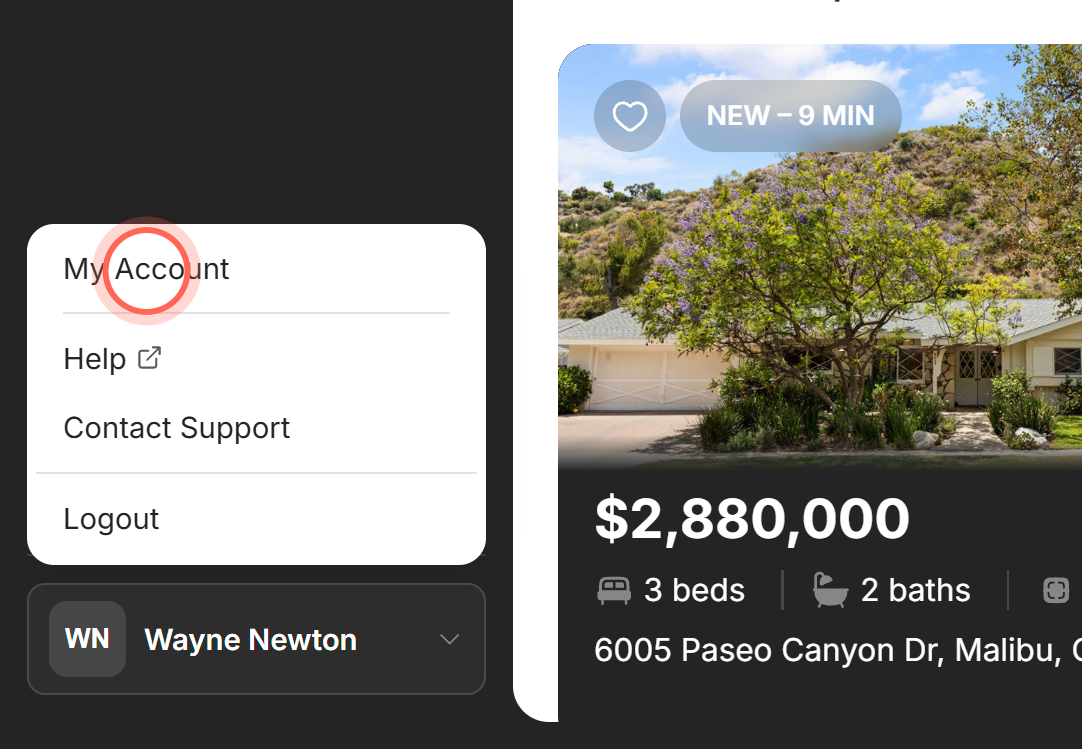
- Click your name at the bottom of the sidebar. On a phone, tap Menu first.
- Click My Account.
- On Settings, in Profile, replace the address in Email.
- Click Save changes.
A Success message says "Changes saved." We send an "Account Updated" notice to your new address. From now on, you sign in with the new email, and your alerts go there.
Change your phone number
Use this when the hint under Phone Number reads "Used to sign in, and for SMS and alerts." with no mention of a code. "Used to sign in" doesn't mean a new number changes your password. Your password stays the same.
- On Settings, in Profile, type your new number in Phone Number.
- Click Save changes.
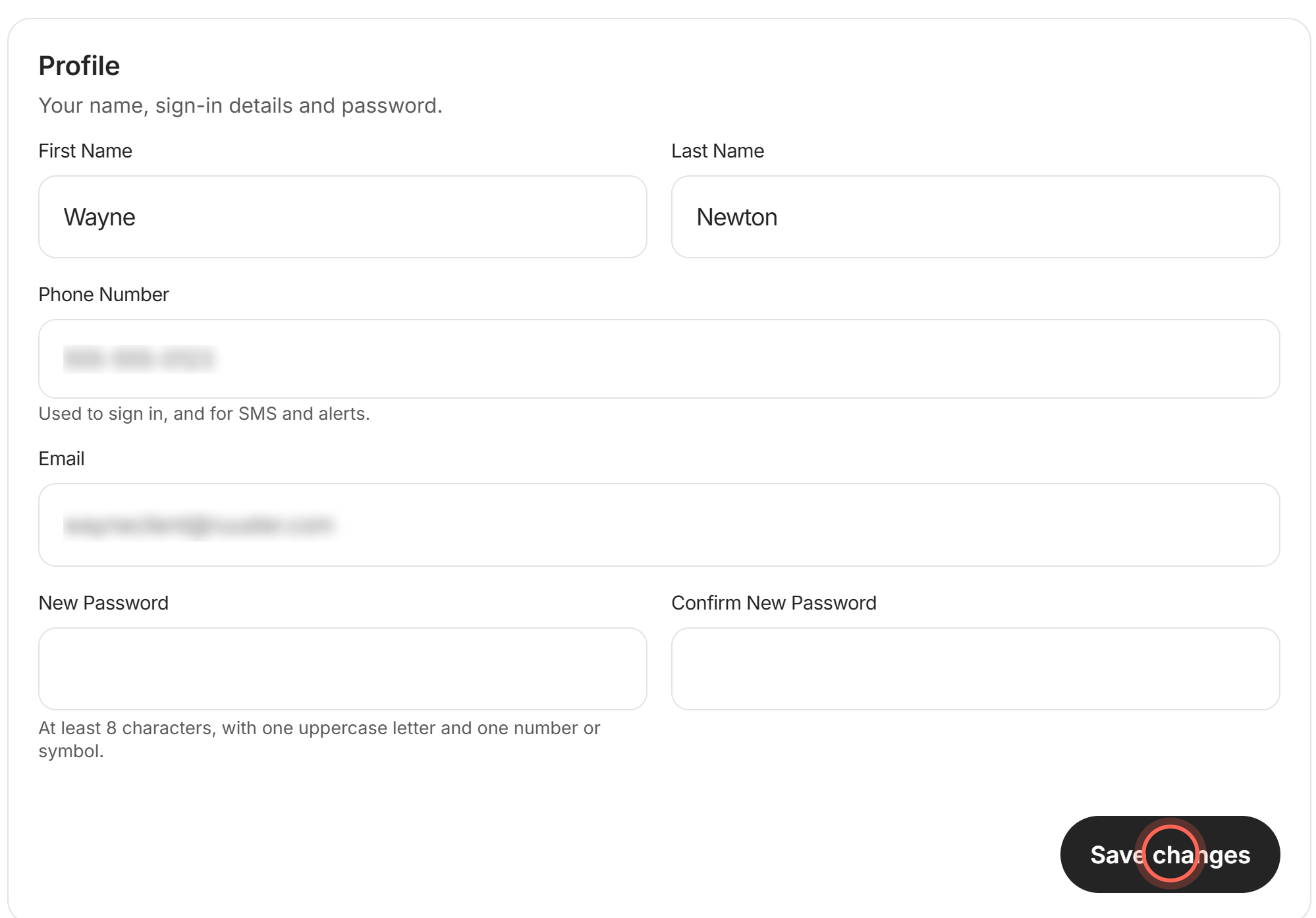
A Success message says "Changes saved," and we email you an "Account Updated" notice. Text alerts now go to the new number.
Change your phone number with a confirmation code
If your agent's app uses text codes, the hint under Phone Number says "Changing it requires a confirmation code." Keep your new phone nearby.
- On Settings, in Profile, type your new number in Phone Number.
- Click Send confirmation code.
- Type the 6-digit code texted to your new number in Confirmation Code.
- Click Save.
A Success message says "Phone number updated," and we email you an "Account Updated" notice. Your old number stays on your account until you click Save.
Good to know
- Your password doesn't change. If you've been signing in with your old phone number as your password, it still works. See Change your password or phone number.
- Signing in with Google. Your email is locked, with the note "This comes from the Google account you sign in with, so it cannot be changed here."
- Email already in use. A User Update Error saying "An account with that email address already exists" means another account here uses it. Pick a different address.
- Your agent stays up to date. Your agent sees your new email and phone number.
- Privacy Policy. The Privacy Policy link at the bottom of Settings opens your brokerage's privacy policy in a new tab.
FAQ
Will changing my phone number change my password?
No. Your password stays the same. To set a new one, fill in New Password and Confirm New Password, then click Save changes. It needs at least 8 characters, with an uppercase letter, a lowercase letter, and a number or symbol. We email you an "Account Updated" notice when it changes.
I did not get the confirmation code for my new number. What do I do?
Check the number you typed, then refresh Settings, type it again and click Send confirmation code. A code works for 5 minutes, so use the newest one. More tips are in I'm not getting emails or my sign-in code.
Why is Save changes greyed out?
Nothing has changed yet, or a field shows an error in red. Fix the field and the button turns on.
Can I change my name here too?
Yes. Edit First Name or Last Name in the same section. See Change your name.
Where do my alerts go after I change my details?
Alert emails go to the email in Profile, and text alerts to the Phone Number there.
Still need help? Reach out to us at helpme@ruuster.com and we'd be happy to assist!