
Track lead conversions with Google Tag Manager
Using Ruuster 1.0? Read the 1.0 version of this article.
Add your Google Tag Manager ID in Integrations to measure traffic and track sign-ups on your landing pages, search results and website embed.
Admins only. On Integrations (Admin), enter your Tag Manager container ID in Your Google tag ID and click Save changes. Ruuster then loads your container on your landing pages, search results and website listings embed, and sends registration, tour, question and other engagement events you can count as conversions.
Before you start
- Admins only. If Integrations sends you back to your home page, your plan doesn't include admin pages.
- Have your container ID from Google Tag Manager. It starts with GTM-.
- Building tags, triggers and conversion goals happens in your own Tag Manager account, usually by your PPC or web specialist.
Add your Google tag ID
- In the sidebar, click Integrations under Admin.
- In the Google Tag Manager card, enter your ID in Your Google tag ID.
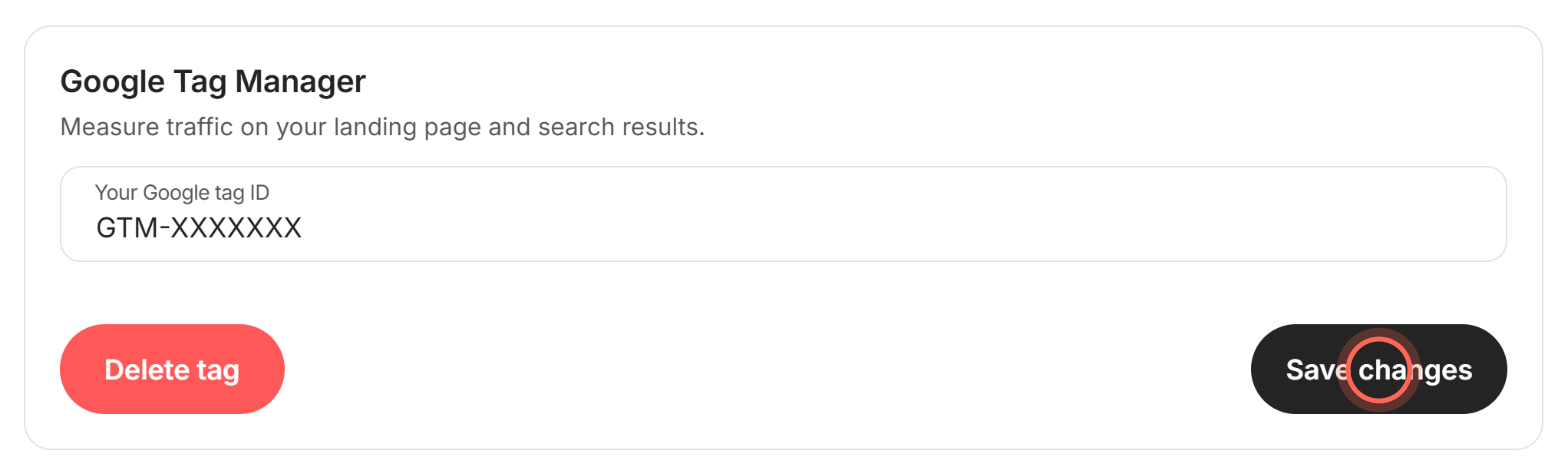
- Click Save changes.
A message says "Google tag ID updated successfully", and a Delete tag button appears in the card.
Remove your Google tag ID
- On Integrations, click Delete tag in the Google Tag Manager card.
- In Delete the Google tag ID?, click Delete tag.
A message says "Google tag ID deleted successfully". Traffic stops being measured until you add another ID.
Events Ruuster sends
Registration events fire from the forced registration form on your listings embed and share links. Turn registration on first: see Make visitors sign up to see listings.
| Event | When it's sent | Data layer details |
|---|---|---|
forced_registration_submit_success |
A visitor completes the registration form | None |
forced_registration_submit_error |
The sign-up fails, for example because the email already has an account | errorDetails holds the reason, such as UserExists |
reset_error |
A visitor sends a complete form | Clears errorDetails |
Engagement events fire when visitors and clients use Home Search or your listings embed. Each one carries a ruuster object with userStatus (registered or anonymous), agentSlug, brokerageId and surface (where it happened). Events about a home add its MLS number, price, address and whether it's a rental.
| Event | When it's sent |
|---|---|
ruuster_property_view |
A home's details open. It also carries an ecommerce block with the price. |
ruuster_favorite_click |
Someone clicks a heart, even before signing up |
ruuster_favorite_property |
A home is saved or unsaved. action reads add or remove. |
ruuster_save_search_click |
Someone clicks to save a search, even before signing up |
ruuster_save_search |
A client saves a search |
ruuster_request_tour_click |
Someone picks a tour date and moves to the contact step |
ruuster_request_tour |
A tour request is sent, with tourDate |
ruuster_contact_agent_click |
Someone opens the form to contact the agent |
ruuster_contact_agent |
A question is sent to the agent |
Good to know
- Use a Tag Manager ID. Enter the ID that starts with GTM-, not a Google Analytics ID that starts with G-. Ruuster saves whatever you type, so double-check it.
- One ID for everyone. The ID covers every agent's landing page and search results in your brokerage.
- Your website is covered too. The listings embed loads your container on your web page, unless the page already loads that same container.
- Clearing the field doesn't delete. Save changes stays off while the field is empty. Use Delete tag to remove the ID.
- Your team isn't counted. Hearts and saved searches by agents and admins don't send events, and they never see the tour or contact forms.
FAQ
Which ID do I enter?
The container ID shown at the top of your Google Tag Manager workspace, in the form GTM-XXXXXXX.
Which event should count as a lead conversion?
forced_registration_submit_success fires each time a visitor finishes the registration form. Count ruuster_request_tour and ruuster_contact_agent too if tour requests and questions are leads for you.
How do I see why a registration failed?
Use the errorDetails value that comes with forced_registration_submit_error. It names the reason, such as UserExists for an email that's already registered.
Can each agent use their own tag?
No. There's one Google tag ID per brokerage, and it covers every agent's pages.
Still need help? Reach out to us at helpme@ruuster.com and we'd be happy to assist!