
Client stages
Using Ruuster 1.0? Read the 1.0 version of this article.
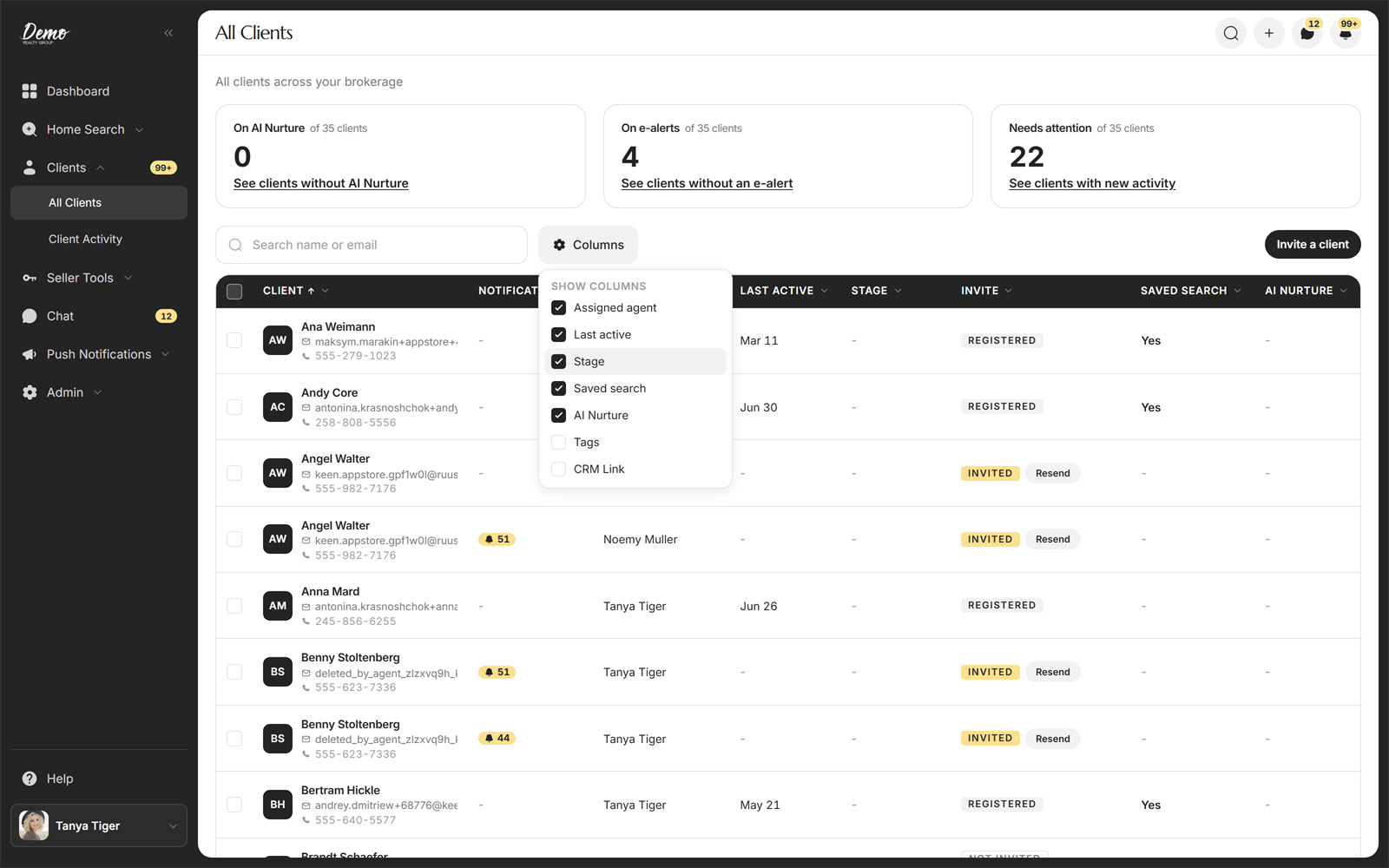
A client's stage in your app is their lead stage from your connected CRM. You see it in the Stage column on All Clients, where you can also sort and filter by it, and on the client's own page in the CRM part of the Client Details card. To change a stage, change it in your CRM.
A client's stage in your app is their lead stage from your connected CRM. You see it in the Stage column on All Clients, where you can also sort and filter by it, and on the client's own page in the CRM part of the Client Details card. To change a stage, change it in your CRM.
Steps
- In the sidebar, open Clients and click All Clients.
- Find the Stage column. If it is not showing, open the Columns menu and switch it on.
- Click the Stage header to sort, or open its menu to filter. The menu lists only the stages your clients actually have; type in its search field to find one quickly.
- To see one client's stage, open their page. The CRM part of Client Details shows it in the Stage row.
Good to know
- Stages are whatever your CRM calls them, so the names match what you see in your CRM.
- The Stage column and filter appear only when your brokerage has a CRM connected. Without a CRM, your app does not track stages.
- A client with no stage in your CRM shows a dash in the column.
- On the client's page, the CRM card reads the stage straight from Follow Up Boss. The All Clients column shows the stage your app last received from your CRM, so the two can briefly differ right after a change.
- A client's onboarding answers include their own "where are you in the process" answer, shown on their detail page. That is what the client said about themselves, not their CRM stage.
FAQ
Can I change a client's stage in the app?
No. Stages come from your CRM, so update the stage there and your app picks it up.
Why is there no Stage column for me?
Your brokerage has no CRM connected, or your own account is not linked to it. Ask your admin to check your CRM connection.
How do I find clients with no stage?
There is no "no stage" filter option. Sort the Stage column A to Z instead; clients without a stage come first and show a dash.
Still need help? Reach out to us at helpme@ruuster.com and we'd be happy to assist!