
How to Use All Filters when Searching
Using Ruuster 1.0? Read the 1.0 version of this article.
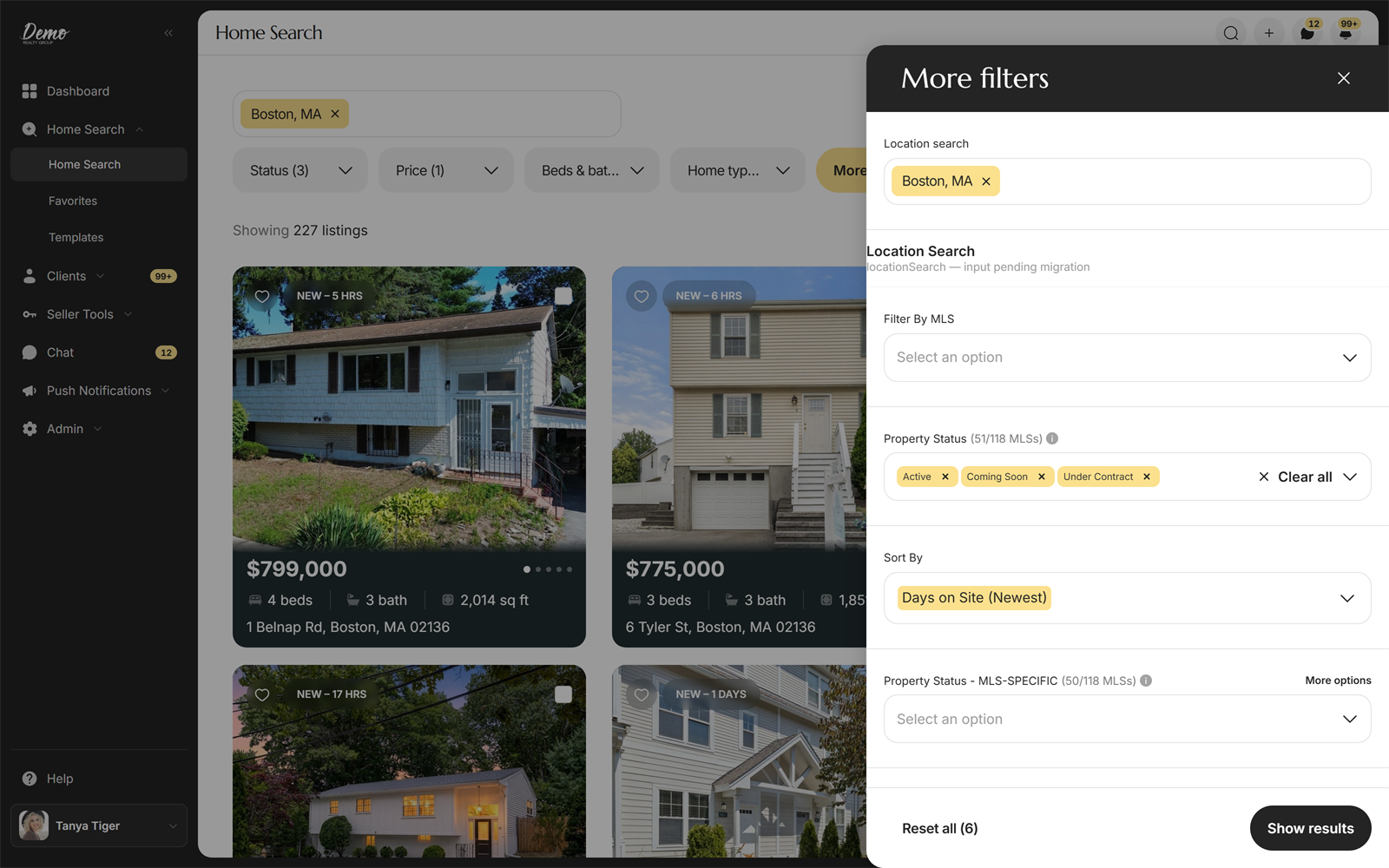
The More filters panel on Home Search lets you narrow a property search by MLS, property status, rooms, and much more. In short: search a location, click More filters , choose your options, and click Show results to view the filtered listings.
The More filters panel on Home Search lets you narrow a property search by MLS, property status, rooms, and much more. In short: search a location, click More filters, choose your options, and click Show results to view the filtered listings.
Steps
- Open Home Search in the sidebar.
- Input one or more locations. A city, county, or zip code all work. You can also move the map to search the area it shows.
- For a quick change, use Price, Beds & baths, or Home type beside the search bar. For everything else, click More filters to open the panel.
- Pick your sort order, such as Price (High to Low) or Days on Site (Newest).
- Filter by your connected MLSs and by property status.
- Use the filters for price, bedrooms, bathrooms, home types, and more.
- Need an MLS-specific field, like an interior feature or a school field? Type its name into the "Search all filters…" box at the top of the panel and tick it to add it as a filter. Read more in Advanced Filters for Agents.
- Click Show results to view the filtered listings. Reset all clears every filter after you confirm.
- To get property alerts for the search you built, click Save next to the filters, name the search, and pick the clients it is for.
Good to know
- New searches default to all of your connected MLSs and to Active property status. You can change both at any time.
- When you save a search for several clients, each one gets their own copy. To save a reusable search with no client attached, create a template from the Templates page instead.
- Advanced Filters are an agent-only tool. Your clients see the results of a search you share, but the advanced options never appear in their filter menu. Read more in Advanced Filters for Agents.
Still need help? Reach out to us at helpme@ruuster.com and we'd be happy to assist!
Was this helpful?