
Let your web developer build the embed
Copy the builder link from Embed Listings so your web developer can build snippets without a Ruuster login.
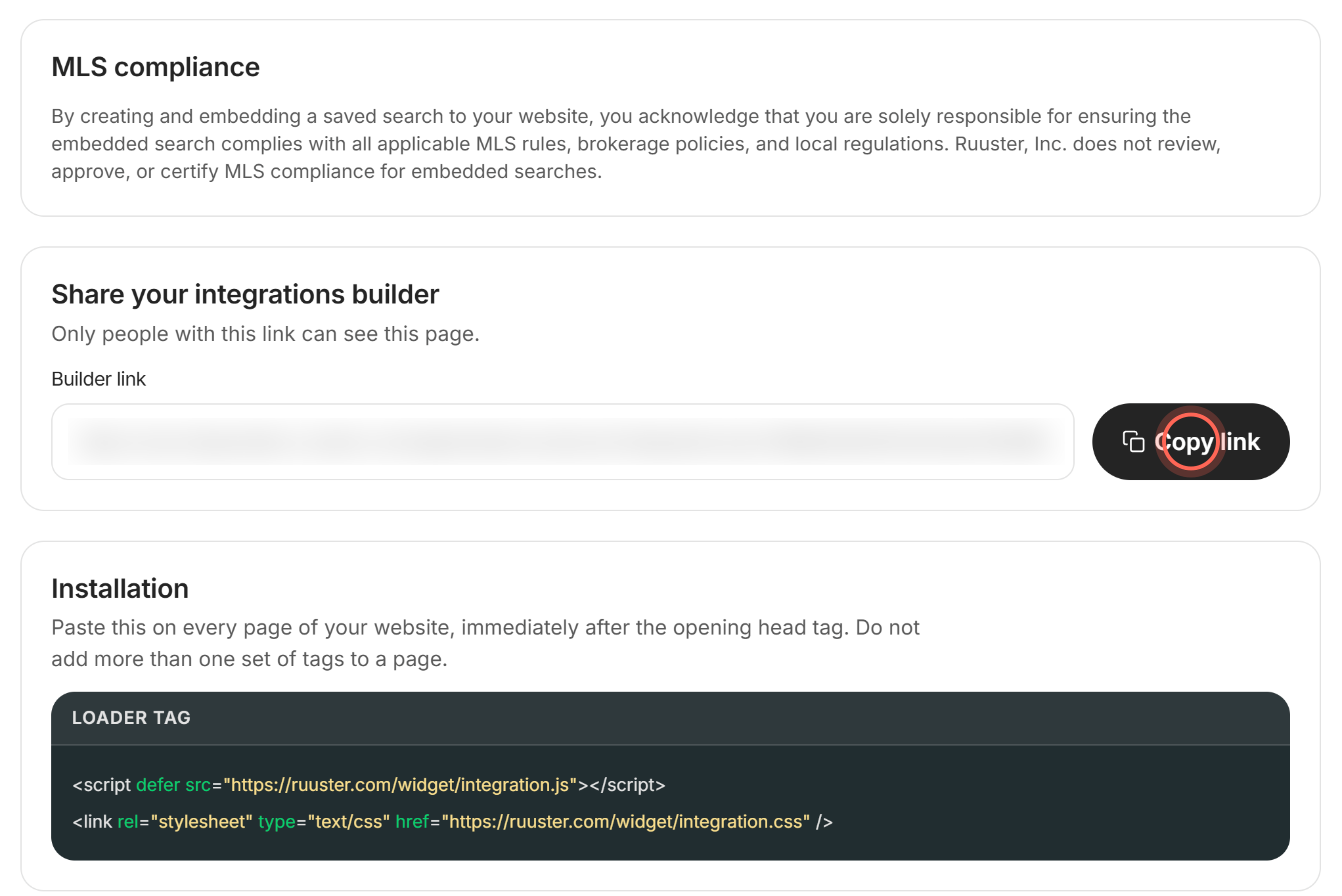
Admins only. On Embed Listings (Admin), click Copy link in Share your integrations builder and send the link to your web developer. They open the same builder without a Ruuster login, pick agents, filters and options, and copy the code for your website.
Copy the builder link
- In the sidebar, click Embed Listings under Admin.
- In Share your integrations builder, click Copy link.
- Paste the link into an email or message to your web developer.
The button reads Copied for a few seconds. If you see "Failed to copy, please try again", select the text in Builder link and copy it yourself.
What your web developer does with the link
- Open the link. The Embed Listings builder opens with no sign-in.
- Copy the Loader tag from Installation into the head of every page.
- On Listings Search (IDX), pick the agents under Agents.
- Click Set filters, choose the area and filters, then click Save.
- Set the Options and copy the code under Listings Search widget code.
- For a search box on another page, use the Search Bar tab.
They paste each snippet where it should appear, the same way as in Put Ruuster listings on your website.
Choose filters in Integration mode
- On the builder, click Set filters.
- In the search, choose the location and the filters you want.
- Click Save on the Integration mode bar.
The builder opens again with those filters in the snippet. Save turns on once you change something.
Cancel returns to the builder and discards the changes you made in Integration mode.
Good to know
- Anyone with the link can use it. "Only people with this link can see this page." Share it only with people you trust.
- It builds code, nothing else. The builder never changes your account. Your developer's choices live only in the code they copy.
- The link doesn't expire. It changes only if your landing page address changes. Then copy the new link from Embed Listings.
- Your whole roster is there. Agents lists your brokerage's agents, so your developer can send each page's leads to the right person.
FAQ
Does my web developer need a Ruuster account?
No. The builder link opens the builder without signing in.
Where do I get the embed code myself?
On Embed Listings: the loader tag is in Installation, and each tab builds its own snippet.
Can my developer see our clients or settings through the link?
No. The link opens only the builder and the listings search it uses to pick filters.
The builder link stopped working. Why?
Your landing page address has probably changed since you copied it. Copy the link again from Embed Listings and send the new one.
Still need help? Reach out to us at helpme@ruuster.com and we'd be happy to assist!