
Connect Ruuster to Zapier
Using Ruuster 1.0? Read the 1.0 version of this article.
Copy your Zapier API token from Integrations to build automations with Ruuster events, and fix zaps that don't trigger.
Admins only. Copy your API token from the Zapier card on Integrations (Admin). In Zapier, connect the Ruuster app with your Ruuster email and that token. Your Zaps can then react to client sign-ups, searches and tour requests, or create clients.
Before you start
- Admins only. If Integrations sends you back to your home page, your plan doesn't include admin pages.
- You need your own Zapier account.
- Use the email you sign in to Ruuster with. Your token works only with that email.
Copy your API token
- In the sidebar, click Integrations under Admin.
- In the Zapier card, find your API token.
- Click the copy icon next to it.
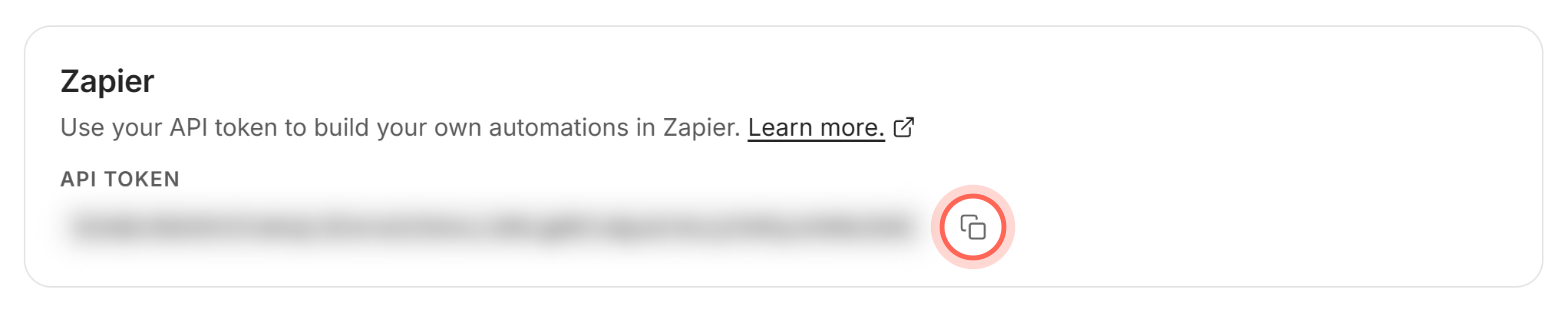
"Zapier API token copied to clipboard" appears. Learn more. in the same card opens Ruuster's page on Zapier.
Build a Zap with a Ruuster trigger
- In Zapier, create a new Zap.
- For the trigger, search for and choose the Ruuster app.
- Pick an event, for example Brokerage Level Zap: Client Has Signed Up.
- When Zapier asks you to connect Ruuster, enter your Ruuster email and paste your API token.
- Test the trigger to pull in sample data.
- Add an action in the app you want to update, for example your CRM.
- Turn the Zap on (Zapier calls this publishing).
The Zap now runs each time the event happens, and each run shows in Zapier's Zap history. Every event and the fields it sends are in Ruuster Zapier triggers and actions.
Pick Individual Agent or Brokerage Level
| Event name starts with | Fires for | Use it when |
|---|---|---|
| Individual Agent Zap: | Clients assigned to you | You only want your own clients' activity |
| Brokerage Level Zap: | Clients of every agent in your brokerage | You want activity from the whole brokerage |
Fix a Zap that doesn't trigger
| What you see | Why | Fix |
|---|---|---|
| Zapier won't connect to Ruuster | The email doesn't match the token's owner | Use the email you sign in to Ruuster with |
| Nothing fires for another agent's clients | An Individual Agent Zap covers only your clients | Use the Brokerage Level Zap: version of the event |
| Client Has Signed Up doesn't fire when you invite someone | It fires when the client creates their account | Use New Client Invitation Sent for invitations |
| Searches or property views you test yourself don't fire | Those events count client actions only | Test from a client account. Create or Update a Saved Search also fires for agents. |
| Nothing fires at all | The Zap is off or paused in Zapier | Turn the Zap on in Zapier |
Good to know
- Your token is yours. The token on Integrations belongs to you. Only admins see a token in Ruuster. The Ruuster API and Ruuster MCP cards above Zapier show the same token.
- No token showing? If the Zapier card shows only its description, your account has no token yet. Email helpme@ruuster.com.
- Replacing a token. There's no button to make a new token. Email helpme@ruuster.com if yours needs replacing.
- Built-in CRMs sync more. For Follow Up Boss, Sierra Interactive or Sure Send, use the CRM Integration card instead of Zapier.
FAQ
Can I connect Ruuster to a CRM you don't support directly?
Yes, if that CRM has a Zapier app. Use a Ruuster trigger and add your CRM as the action.
Can Zapier add clients to Ruuster?
Yes. The Create Client action creates a client invitation from your Zap, assigned to the agent whose email you send.
Can an agent have their own Zap?
Agents don't see a token in Ruuster. Build a Brokerage Level Zap: event instead and add a Zapier filter on the agent's email, which every Ruuster trigger sends.
How do I know which event to pick?
Check the event list in Ruuster Zapier triggers and actions, or open Learn more. in the Zapier card to see the events on Zapier.
Still need help? Reach out to us at helpme@ruuster.com and we'd be happy to assist!