
Connect your IDX provider
Add Sierra Interactive as your IDX provider on the Integrations page, change its API key, or remove it.
Admins only. On Integrations (Admin), click + Add IDX Provider, choose Sierra Interactive, paste its API key and click Save changes. Ruuster checks the key with Sierra and keeps your listings feed in sync.
Before you start
- Admins only. If Integrations sends you back to your home page, your plan doesn't include admin pages.
- Sierra Interactive is the IDX provider you can connect.
- Have your Sierra Interactive API key ready. Connect Sierra Interactive shows where to find it.
Add an IDX provider
- In the sidebar, click Integrations under Admin.
- In IDX Provider Integration, click + Add IDX Provider.
- Open Select IDX provider and choose Sierra Interactive.
- Paste the key into API key.
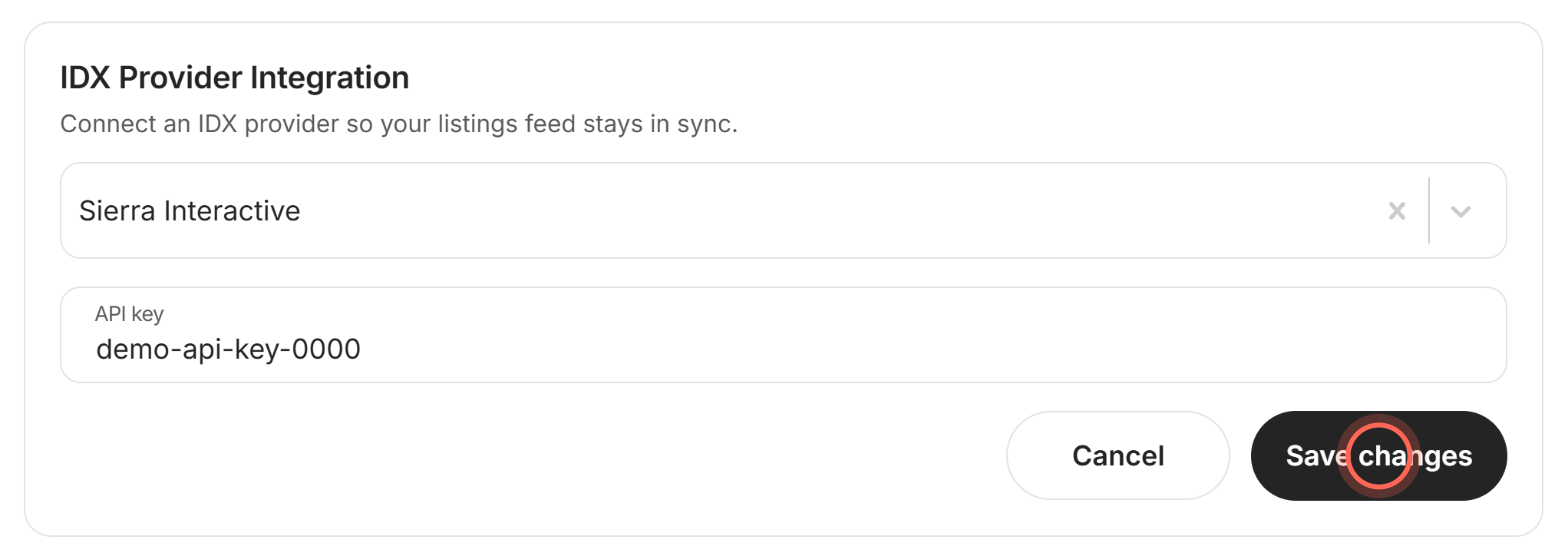
- Click Save changes.
A Success message appears, and Sierra Interactive is listed under Connected providers with its key.
Change the API key
- On Integrations, click the pen next to the provider under Connected providers.
- Replace the key in API key.
- Click Save changes.
The row shows the new key. While you edit, the provider itself is locked, so only the key changes.
Remove an IDX provider
- On Integrations, click the trash icon next to the provider under Connected providers.
- In Delete this IDX provider?, click Delete provider.
A Success message confirms it. The provider's listings stop syncing into your search results.
Good to know
- Ruuster checks the key. If Sierra doesn't accept it, you see "Access to the selected IDX Provider is not valid" and nothing is saved.
- The same key twice is refused. Saving a key that's already connected shows an error and changes nothing.
- Cancel clears the form. Cancel closes the form without saving and empties it.
- CRM is a separate card. If Sierra is also your CRM, connect it in the CRM Integration card as well.
FAQ
Which IDX providers does Ruuster support?
Sierra Interactive. If you use a different IDX provider, email helpme@ruuster.com to ask.
It says the access is not valid. What's wrong?
Sierra didn't accept the key. Copy it again from Sierra Interactive, paste it into API key and click Save changes.
Is this how I put listings on our website?
No. That's Embed Listings. See Put Ruuster listings on your website.
Can our agents connect an IDX provider?
No. Only admins can open Integrations, because the connection covers your whole brokerage.
Still need help? Reach out to us at helpme@ruuster.com and we'd be happy to assist!