
Sharing Properties from Inside of Follow Up Boss Article
Have a property that you just need to share with your client? We have an easy way for you to send a property link to your client and any other interested party!
Share a Property with Your Client from a FUB Lead Profile page
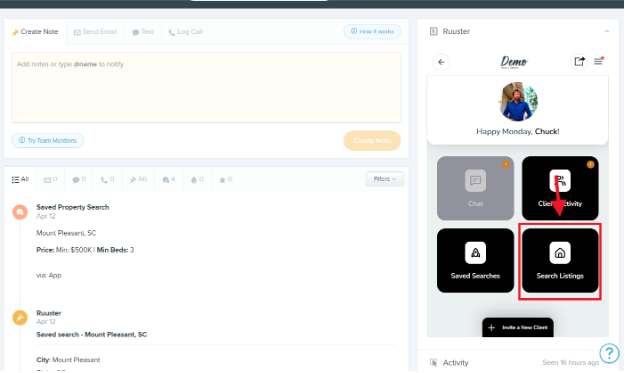
To quickly send a property to your client, start by clicking “Search Listings” inside the Ruuster widget
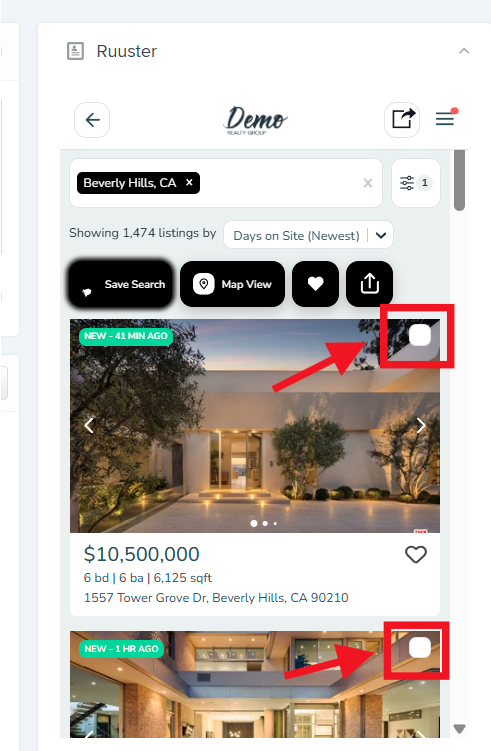
After you’ve filtered to the properties you want to share, you can select one or multiple properties by checking the box on the top right of the property.
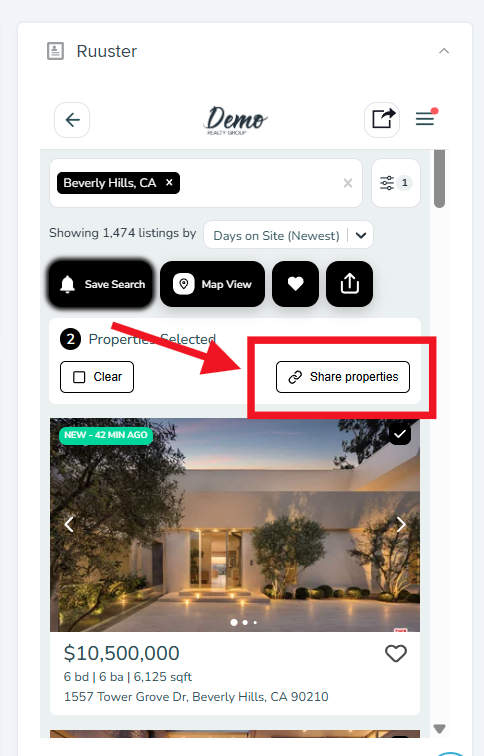
After selecting the properties you want to share, click the “share properties” button.
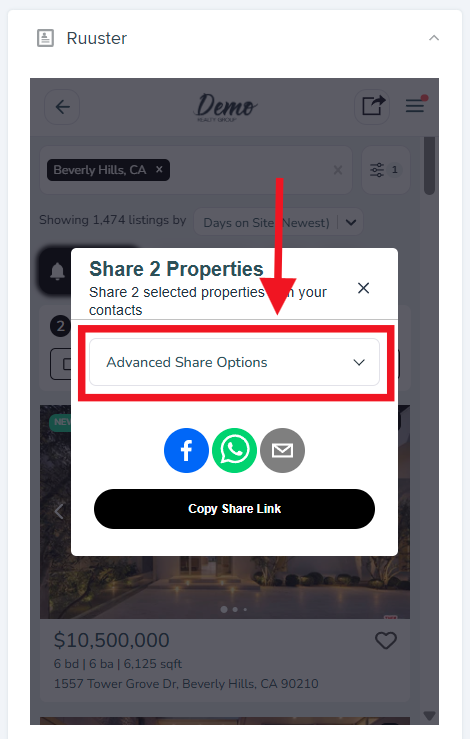
To quickly copy a shareable link, click “Copy Share Link”
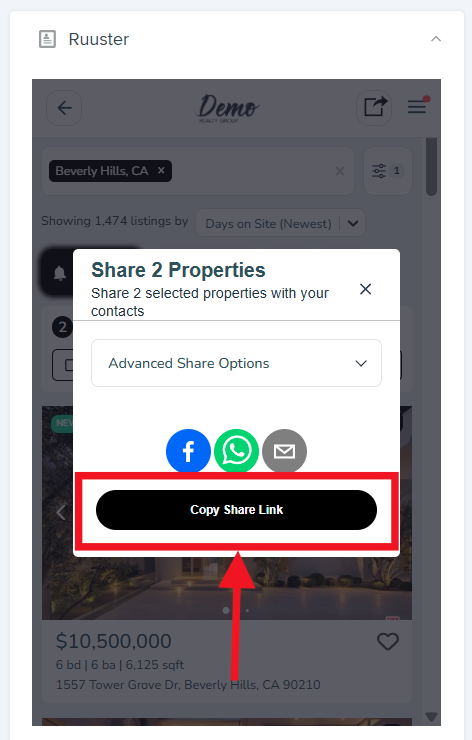
For additional options around custom forced registration rules, customizing , link title, page title, page description, and more, click the “Advanced Share Options” dropdown menu.
Still need help? Reach out to us at helpme@ruuster.com and we’ll be happy to assist!