
Add Users to Ruuster
Add all users to Ruuster using a tag.
TL;DR
1
Go to All People page
Select Everybody and ensure no filters are applied.
2
Select All Users
Check the box to select all users.
3
Add Ruuster Tag
Go to Add Remove Tags, type Ruuster, and add the tag.
4
Check Ruuster Portal
Confirm all tagged users appear in your Ruuster portal.
Let's Do It Together!
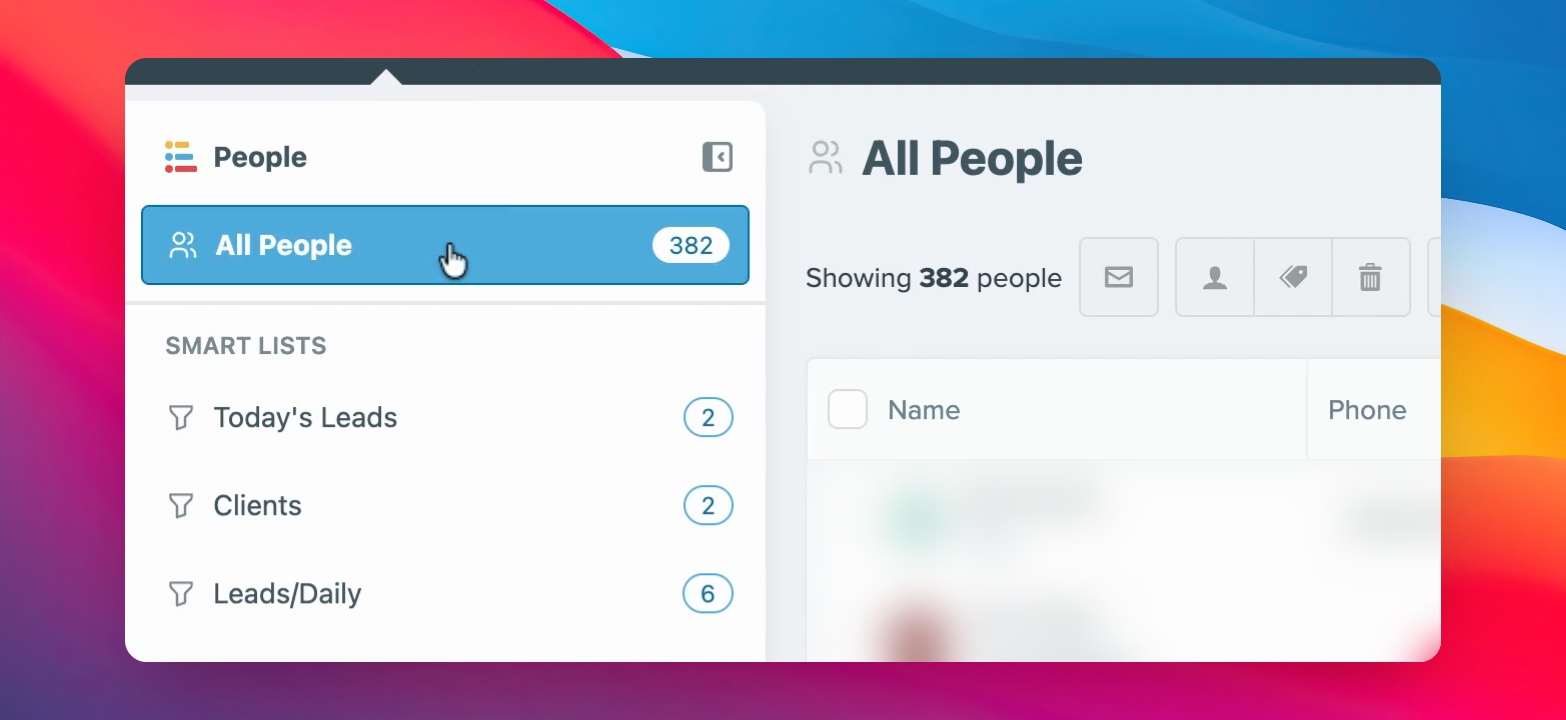
Step 1: Access All People Page
Navigate to the All People page.
Ensure no filters are selected and select Everybody next to the name.
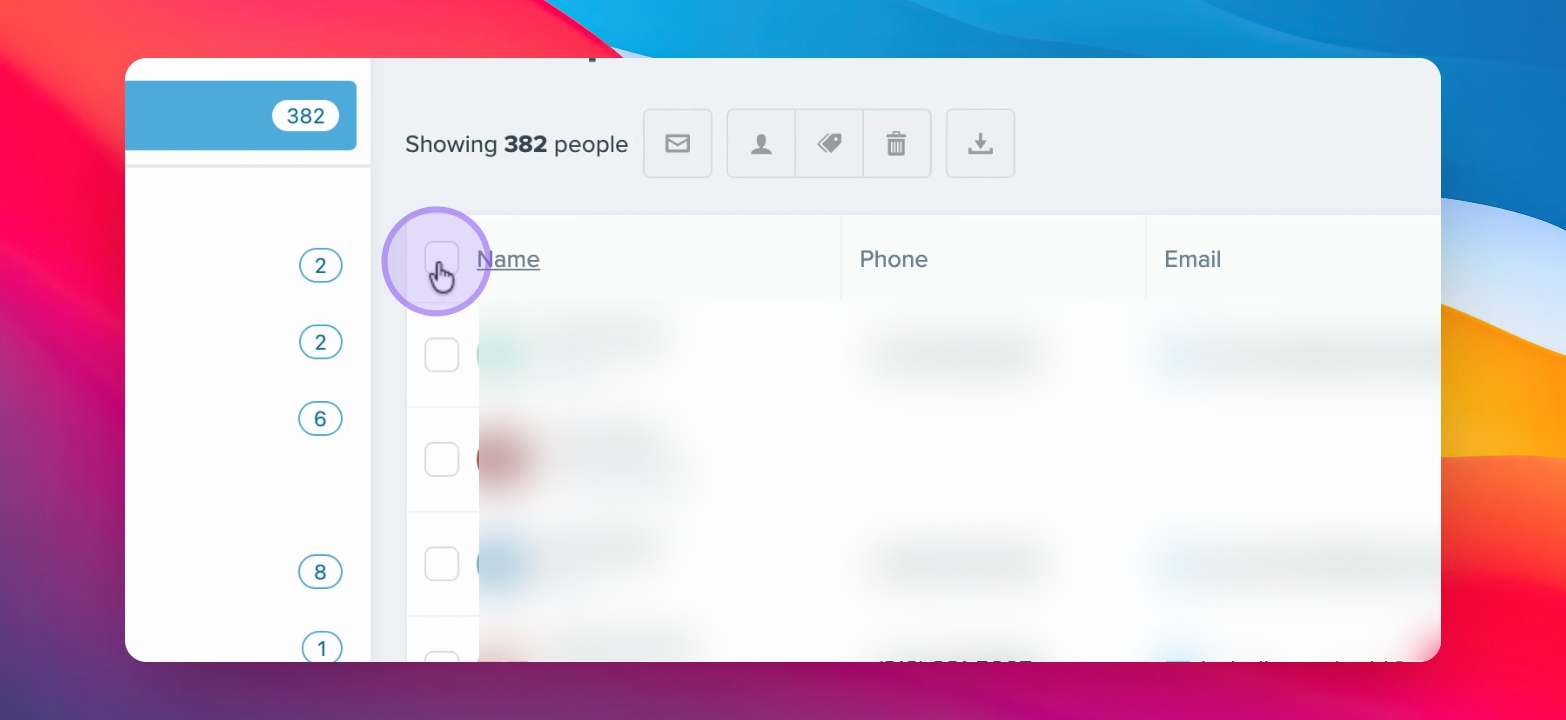
Step 2: Select All Users
Click the checkbox and select All.
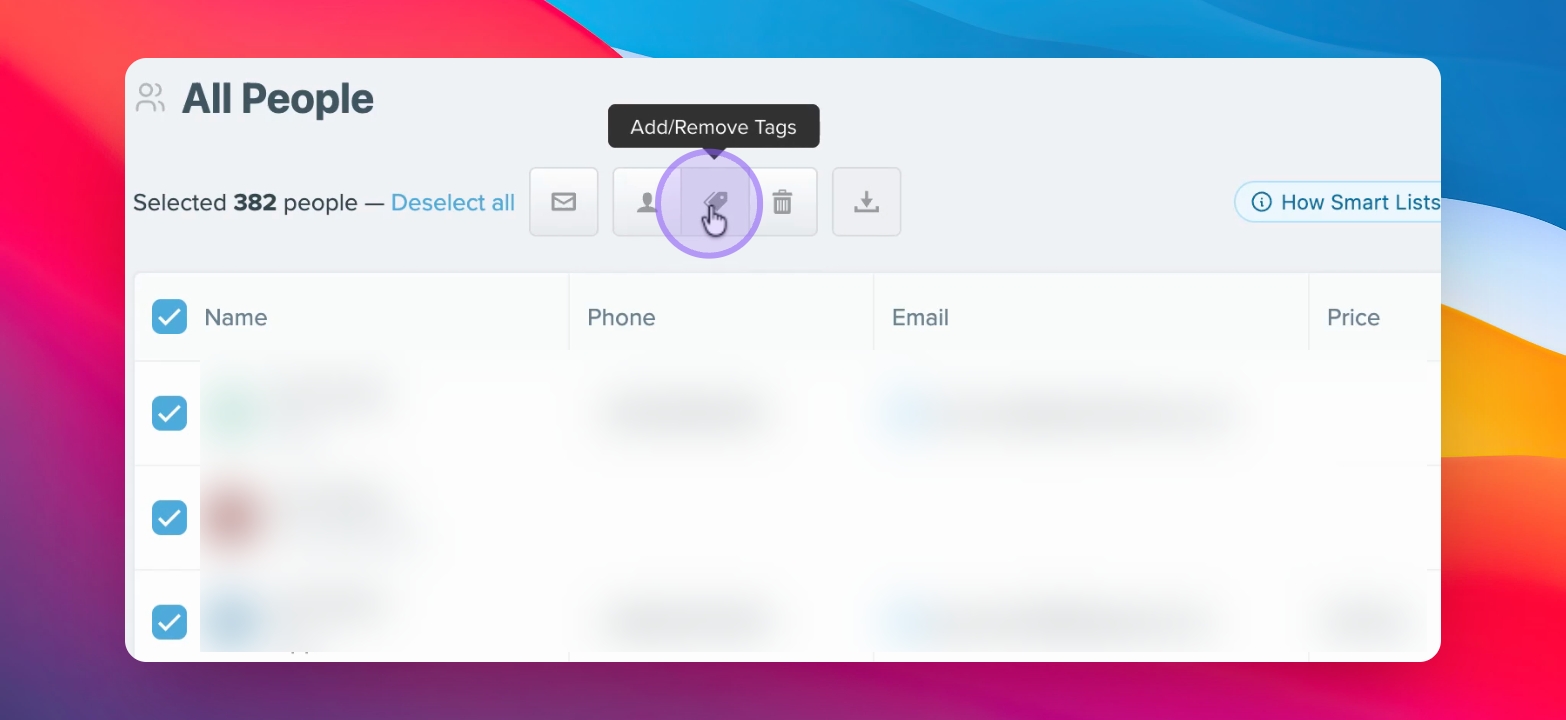
Step 3: Add Ruuster Tag
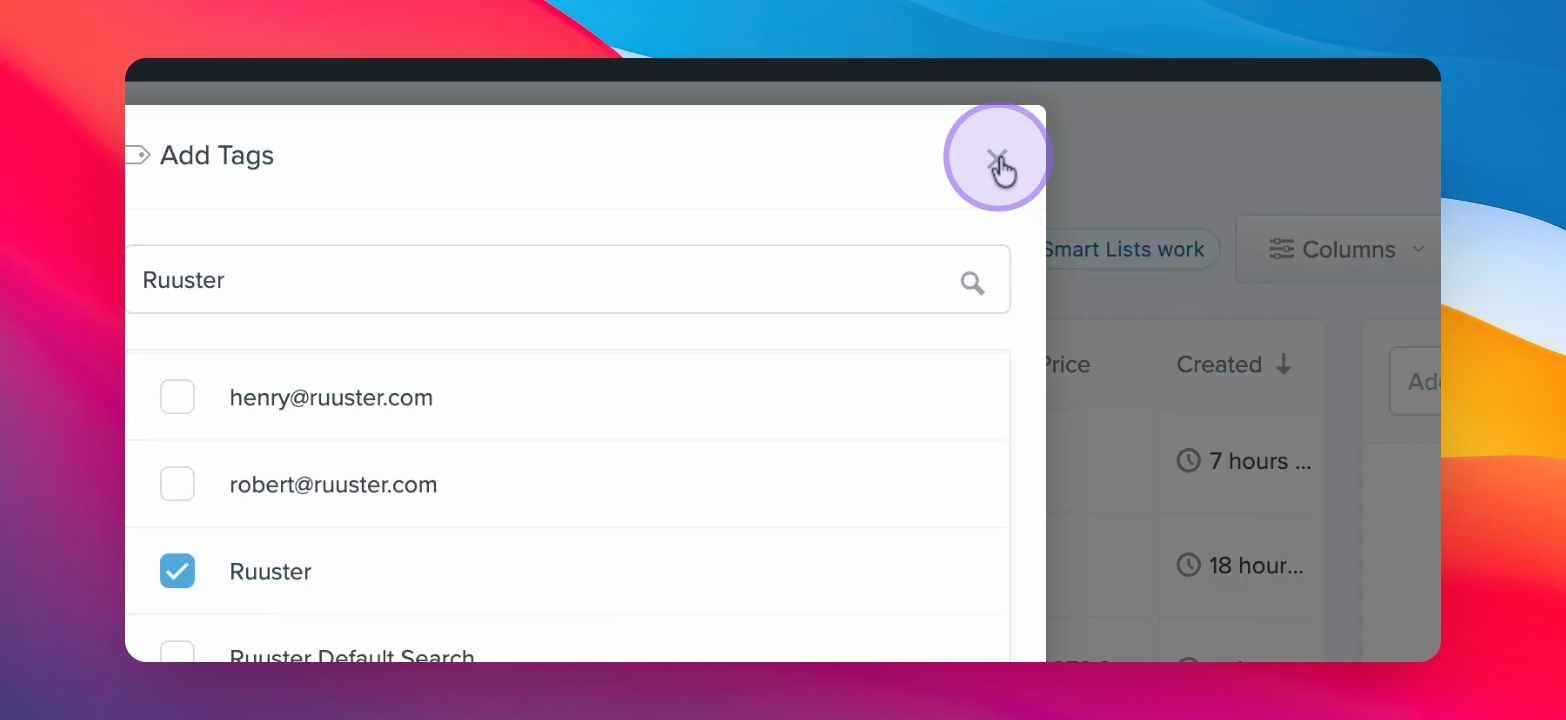
Go to Add Remove Tags and hit Add Tags.
Type Ruuster with a capital R and select the tag. If it doesn't exist, create it.
Click Add Tag to add the Ruuster tag to all selected users.
Step 4: Verify Users in Ruuster
Once tagged, you will see every user in your Ruuster portal.
Was this helpful?